



Stop Copy‑Pasting Chaos from Your Old Outreach Tool
When teams move to HubSpot, they often treat sales sequences and templates as “just content”.
They say things like:
- “We’ll just copy over our best-performing sequences.”
- “We’ll rebuild templates as we go.”
- “Reps can recreate what they need inside HubSpot.”
That is how you end up with:
- Duplicate, conflicting sequences nobody trusts.
- Reps guessing which template is “the latest version”.
- Lost reporting on what actually works.
Sales sequences are not just emails. They are your sales motion encoded into the system. If you migrate them casually, you bring all your old problems—and add new ones.
In this article, we’ll walk through how to migrate sales sequences and templates into HubSpot in a structured way, so reps get clarity instead of confusion and you get clean reporting on what actually drives replies and meetings.
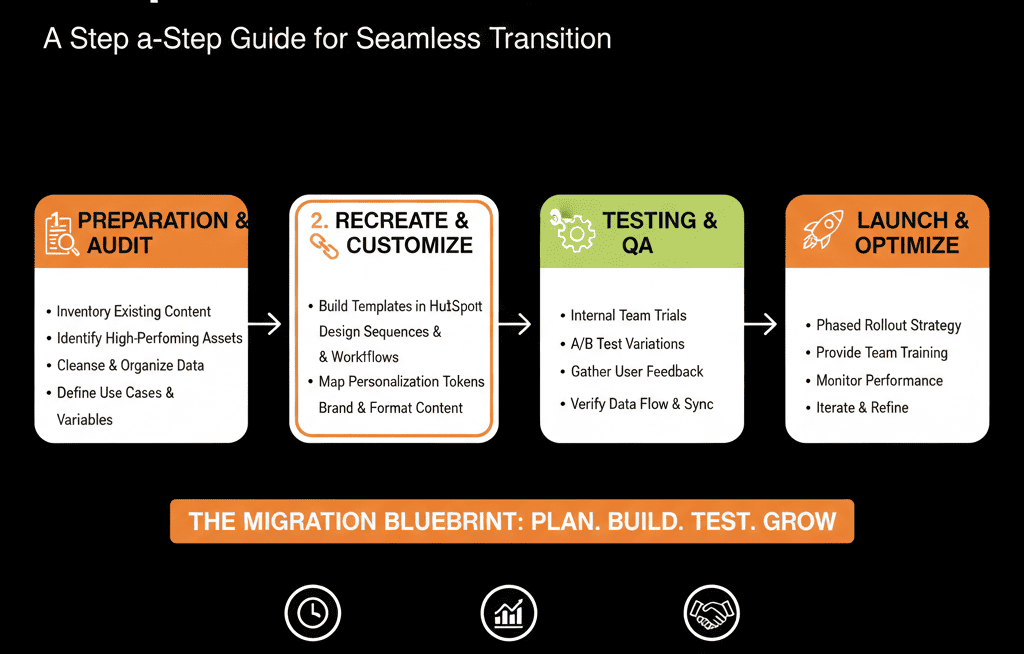
Step 1 – Decide What Deserves to Come Over (And What Dies)
Before touching HubSpot, you need to know what you’re migrating and why.
Most teams have:
- Old sequences nobody uses.
- Variants that were tested once and forgotten.
- Rep‑made templates that never should have gone to prospects.
How to do a quick inventory
From your current outreach tool (or inboxes), export or list:
- All sequences/cadences with: Name, Purpose (e.g., inbound demo follow‑up, outbound ICP A, event follow‑up), Status (active, rarely used, legacy).
- All commonly used templates/snippets with: Owner, Use case (cold, warm, follow‑up, breakup, etc.).
Then, classify each as:
- Keep (core motions you still use).
- Keep but consolidate (multiple similar versions).
- Kill (outdated, off‑brand, poor performance).
Outcome of this step: a shortlist of sequences and templates that are actually worth rebuilding in HubSpot, rather than blindly copying everything.
Step 2 – Map Sequences to Real Journeys and Personas
A lot of confusion comes from sequences that try to do everything.
One “mega sequence” for every persona, every scenario, every source.
In HubSpot, you want sequences that are tightly aligned to:
- Persona / ICP.
- Trigger (inbound vs outbound, hand‑raiser vs cold).
- Stage (new prospect vs opportunity vs closed‑lost reactivation).
How to structure this
For each shortlisted sequence, answer:
- Who is this for? ICP, segment, industry, seniority.
- What is the trigger? Filled “Contact sales” form, Attended webinar, Added from outbound list, No‑showed a meeting.
- What is the goal? Book a first meeting, Move from interest to discovery, Revive a stalled deal.
Rename your sequences on paper with a clear, consistent pattern, e.g.:
- INBOUND – Demo request – Mid‑market SaaS – AE follow‑up
- OUTBOUND – ICP A – VP Sales – Cold
- REACTIVATION – Closed lost 90+ days – Expansion
This mapping becomes the naming and folder structure you use when you create sequences in HubSpot so reps can actually find the right one.
Step 3 – Translate Steps into HubSpot’s Building Blocks (Without Losing Intent)
Tools differ. If you try to copy steps 1:1 without thinking, you either:
- Lose the original intent, or
- Misuse HubSpot features (e.g., Sequences vs Workflows).
In HubSpot, sales motions typically use:
- Sequences: rep‑driven, 1:1 outreach (emails, tasks, calls, LinkedIn, manual steps).
- Templates: reusable email bodies that can be used in sequences or 1:1 sends.
- Snippets: short reusable blocks (PS lines, objections, intros).
How to translate a sequence
Take one existing sequence and break it down:
- Channel order (email, call, task, LinkedIn, etc.).
- Timing (delays between steps).
- Personalization requirements (what the rep must customize).
Then, in HubSpot:
- Create email templates for each email step, with: tokens for contact/company/deal where available, and clearly marked personalization brackets.
- Build the sequence itself with: the same relative delays where they still make sense, and non‑email steps as tasks/calls.
- Add notes in step descriptions explaining: when to use this sequence, what good personalization looks like.
Do not mechanically copy text. Use the migration as a chance to tighten messaging, remove fluff, and align with your current positioning.
Step 4 – Clean Up Ownership, Enrolment Rules, and Safety Limits
A big source of confusion after migration is:
- People enrolling the wrong contacts.
- Prospects being over‑touched across multiple sequences.
- No one knowing who “owns” which sequence.
How to avoid this
Define ownership and access
- Which sequences are global, owned by RevOps/Enablement?
- Which are team‑specific (SDR, AE, CS)?
- Which are rep‑specific (experiments, not yet standardized)?
In HubSpot, use:
- Naming conventions (e.g., [GLOBAL], [SDR], [AE]) in sequence names.
- Folder structures and permissions to keep experimental content from flooding everyone’s view.
Define enrolment rules
- Who is allowed to enrol whom? (e.g., only SDRs enrol into outbound cold sequences; AEs enrol into opp-stage follow‑up).
- What must be true before enrolment? (lifecycle stage, owner assigned, key fields populated).
Set safety limits and guardrails
- Maximum sequences per contact at any time.
- Clear do‑not‑sequence lists (e.g., customers on sensitive plans, specific account lists).
- Internal rules for unenrolling contacts when they reply, book, or opt out.
Document these rules alongside your migration so the portal doesn’t descend into “everyone sequences everyone”.
Step 5 – Standardize Templates and Snippets (and Retire the Junk)
Templates and snippets are where clutter multiplies fastest.
If you just import everything, reps end up scrolling through pages of old content.
How to approach this
Decide what “global” templates you’ll support
- Core cold outbound.
- Inbound follow‑up.
- Meeting confirmation, reschedule, and recap.
- No‑show, breakup, and reactivation emails.
Create a clear naming convention
For example:
- GLOBAL – Outbound – First touch – ICP A
- GLOBAL – Inbound – Demo follow‑up – AE
- GLOBAL – Post‑demo – Recap & next steps
- TEAM – SDR – Bump – No response
Turn sub‑components into snippets
- Intros by persona or vertical.
- Value props by product line.
- Common objection handlers.
Then:
- Kill or archive old one‑off templates that don’t align with your current messaging.
- Make it clear to reps that only templates in the “GLOBAL” or appropriate TEAM folder are considered “approved”.
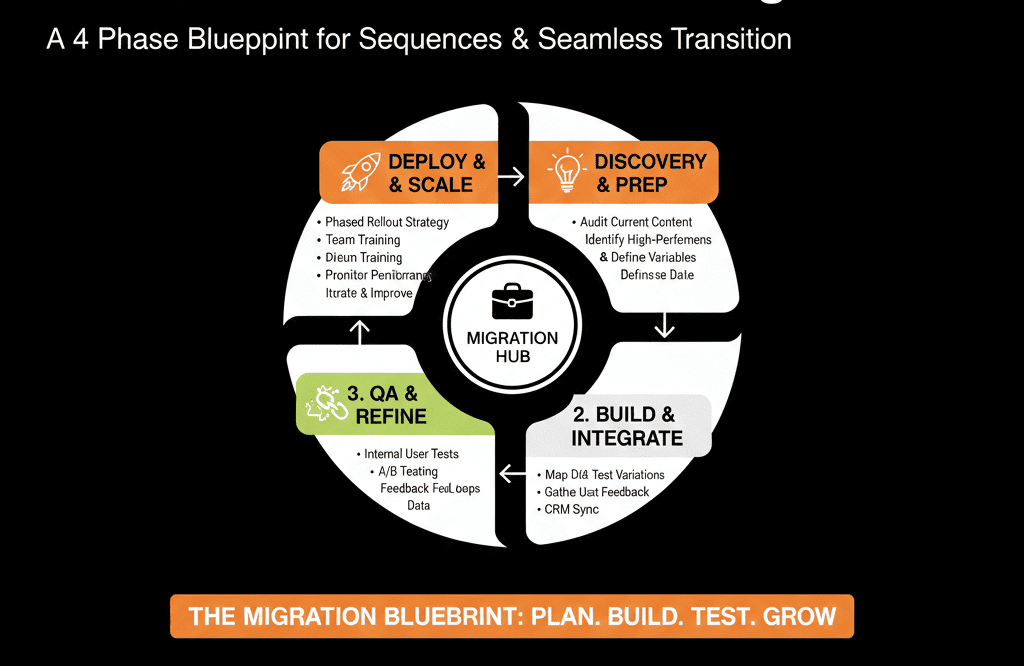
Step 6 – Pilot with a Small Group Before Rolling Out to Everyone
The fastest way to create confusion is to turn everything on for everyone at once.
Instead, treat your migrated sequences and templates like a product launch: test, refine, then scale.
How to run a controlled pilot
Pick a small group:
- 2–4 SDRs or AEs who are representative and open to testing.
Give them:
- A handful of carefully mapped sequences.
- Clear usage rules and naming explanations.
Track for 2–4 weeks:
- Enrolment numbers.
- Reply, meeting, and opportunity creation rates.
- Feedback on usability and clarity.
Based on feedback:
- Refine subject lines, steps, and template copy.
- Fix any gaps in enrolment rules or guardrails.
- Update any training or documentation.
Only after that do you:
- Roll out to the broader team.
- Retire old systems or tools fully.
Step 7 – Wire Reporting So You Know What Actually Works
Migrating sequences without reporting is just moving content.
You need to see which sequences and templates drive outcomes in your new HubSpot environment.
How to do this in practice
- Set up reports/dashboards that track by sequence: enrolments, opens/replies, meetings booked, deals created/advanced.
- Track template performance separately: sends, opens, clicks, replies; template usage by team or rep.
Then, use these insights to:
- Standardize winners as GLOBAL sequences/templates.
- Retire under‑performing or confusing sequences.
- Inform coaching and enablement (who’s using what, and with what results).
Pulling It Together: A Migration That Reduces Confusion (Not Adds to It)
You do not need to copy every single sequence and template into HubSpot.
You need to:
- Decide what deserves to come over.
- Map it to clear personas, triggers, and goals.
- Rebuild it using HubSpot’s building blocks (sequences, templates, snippets) with strong naming and guardrails.
- Pilot, measure, and refine before rolling it out to everyone.
Done right, your migration is the moment you:
- Clean up years of outreach clutter.
- Align messaging across teams.
- Gain real visibility into what works.
Done casually, it’s how you end up with two broken systems instead of one.
Want Help Migrating Sequences and Templates into HubSpot Without Chaos?
If you’re moving from another sales engagement tool into HubSpot—and you’re worried about losing what works or overwhelming your reps—this is exactly where we can help.
Our HubSpot Portal Health Check and Migration & ROI Plan are designed to:
- Audit your existing sequences and templates for what’s actually performing.
- Design a clean HubSpot‑native sequence and template architecture.
- Map out a phased migration and rollout plan that your reps can adopt without confusion.






