



You Don’t Need a “Perfect” Migration. You Need a Viable One.
Most HubSpot migrations get stuck because the scope quietly explodes:
- “We should bring all fields—someone might need them.”
- “Let’s rebuild every workflow from the old system.”
- “We can’t go live until every integration is connected.”
Trying to move everything at once leads to:
- Delays and endless planning.
- A new portal that’s bloated on day one.
- Teams losing patience and momentum.
The alternative is a Minimum Viable Migration (MVM):
Move only what’s needed to run the business effectively in HubSpot.
Defer everything else to planned phases after go‑live.
In this article, we’ll define what “minimum viable” really means for a HubSpot migration—and give you a framework for deciding what must move now vs what can safely wait.
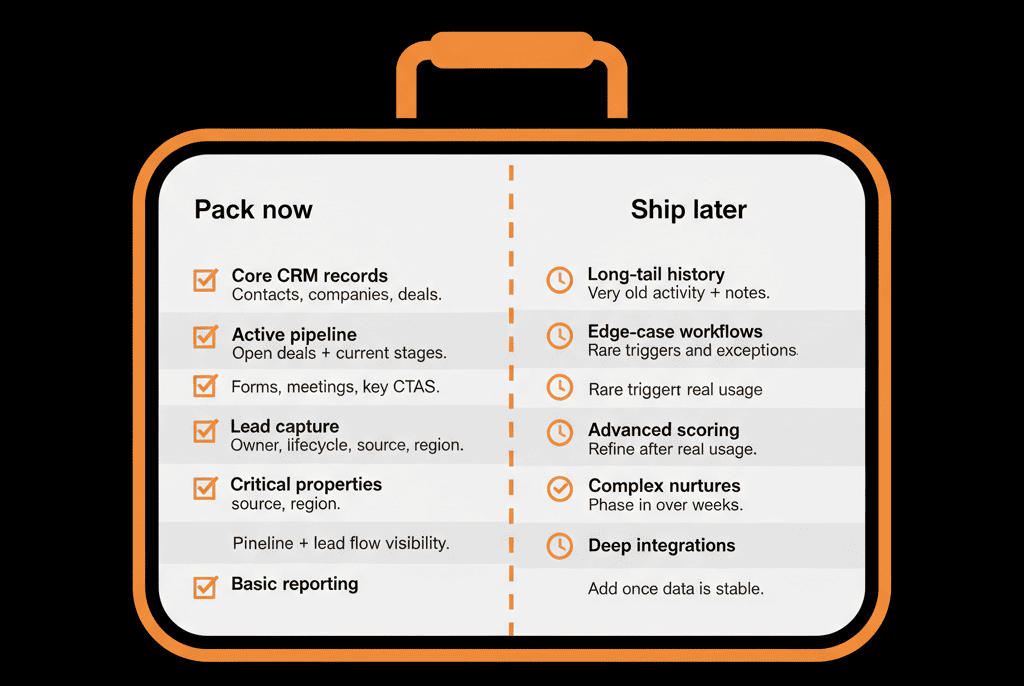
Step 1 – Define “Viable” in Business Terms, Not Technical Ones
MVM is not “the smallest amount of data we can move.”
It’s: the smallest scoped migration that still lets us operate and grow normally.
Agree with key stakeholders (Sales, Marketing, CS, Leadership) that “viable” means:
- All new leads are captured and routed correctly.
- Sales can manage all active pipeline in HubSpot.
- CS (if in scope) can manage current support/onboarding work.
- Leadership can see a believable pipeline and revenue view.
Write this down as a short list of “Day 1 must‑haves”.
Everything else is negotiable.
Step 2 – Must‑Move Now: Core Objects and Active Records
These are your non‑negotiables. If you don’t move these, you’re not really on HubSpot.
Core objects
- Contacts.
- Companies (for B2B).
- Deals (active and recent).
- Tickets (if Service Hub go‑live is in scope).
Active and recent records
Contacts and companies that:
- Are in current or recent engagement (leads, customers, opportunities).
Deals that:
- Are currently open.
- Recently closed‑won or lost (for context).
Tickets that:
- Are currently open.
- Recently closed if CS needs immediate history.
Key associations
- Contacts ↔ Companies.
- Companies ↔ Deals.
- Contacts ↔ Deals.
- Tickets ↔ Contacts/Companies (if relevant).
Without this, teams cannot see or work their current book of business in HubSpot.
Step 3 – Must‑Move Now: Critical Properties and Identifiers
You don’t need every field—but some fields are essential.
For each core object, identify critical properties for:
Contacts
- Email.
- Name.
- Lifecycle stage (or equivalent).
- Owner.
- Key segmentation fields (country/region, basic persona/role).
Companies
- Name.
- Domain.
- Industry.
- Owner.
- Region/segment if you use it for routing or reporting.
Deals
- Amount.
- Close date.
- Pipeline and stage.
- Associated company and primary contact.
- Deal type/motion (new, expansion, renewal) if you use it.
Tickets (if applicable)
- Status.
- Priority.
- Type/category.
- Owner.
Also:
Any unique identifiers or external IDs required for future integrations (billing IDs, product IDs).
These properties are required to:
- Route and assign work.
- Run basic reports.
- Avoid having to re‑ask customers for information you already know.
Step 4 – Must‑Move Now: Essential Automations and Workflows
Not every automation needs to be live on day one.
But a few must be, or the system will feel broken.
Essential automations:
Lead capture and routing
New leads from forms and key integrations:
- Created as Contacts (and Companies if B2B).
- Assigned to the right owner/team.
- Given a follow‑up task or added to a queue.
Lifecycle basics
Clear rules for:
- How leads become MQL/SQL/Opportunity.
- How Customers are marked when deals close‑won.
Core notifications
Alerts for:
- Demo/contact sales submissions.
- High‑intent form fills or product behaviors (if simple to wire).
Minimal CS workflows (if Service Hub is in scope)
- Ticket creation from support inboxes/forms.
- Assignment and priority rules.
Leave for later:
- Complex lead scoring models.
- Multi‑branch nurture flows.
- Edge‑case automation or legacy branching logic from the old system.
Step 5 – Can Wait: Deep Historical Data and Long‑Tail Properties
These are the things that feel important in the moment—but usually aren’t critical to go‑live.
Very old or low‑value records
- Leads or contacts with no meaningful activity in years.
- Deals far in the past that aren’t used in active reporting.
What to do:
- Archive in your old system or data warehouse.
- Consider a later phase for partial historical import if genuinely needed.
Long‑tail properties
- Fields used rarely or only for one‑off past projects.
- Highly specific campaign or event data that doesn’t affect current GTM.
What to do:
- Keep them in the export/backup.
- Add only the highest‑value ones to HubSpot initially.
- Introduce more later if a clear, current use case emerges.
Full activity timelines
- Every email, call, event, or ticket from many years back.
What to do:
- Move recent activity and key notes where needed.
- Keep full historical logs in old systems/archives for lookup, not active use.
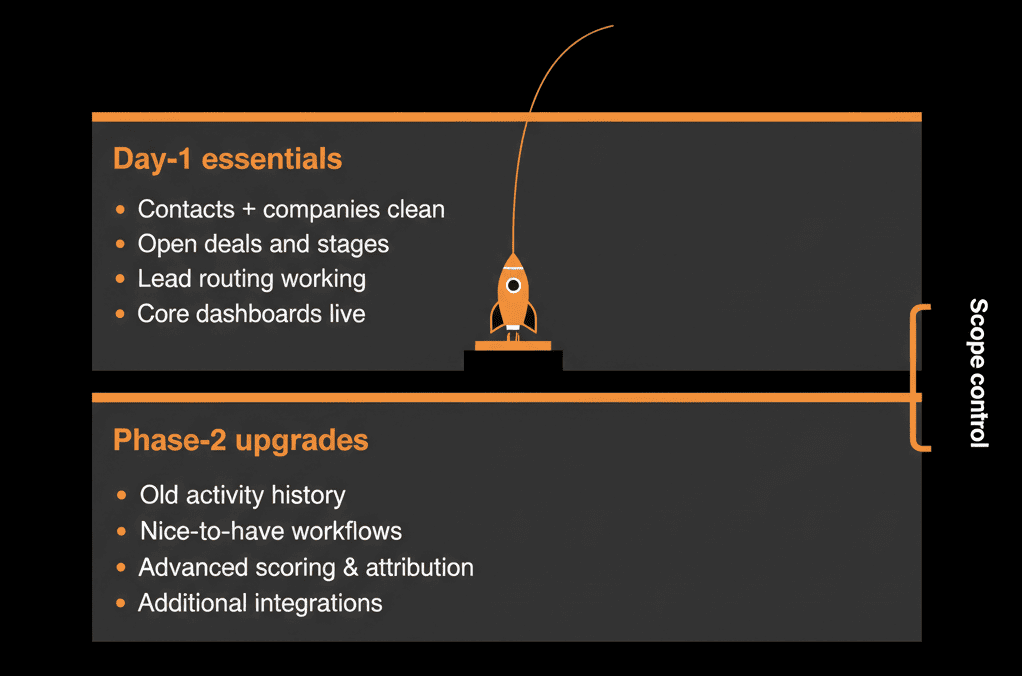
Step 6 – Can Wait: Non‑Critical Integrations and Edge‑Case Workflows
Not everything needs to be integrated on day one.
Examples that can wait:
Non‑core integrations
Tools that don’t directly affect:
- Lead flow.
- Pipeline management.
- Support case handling.
E.g.:
- Some survey tools.
- Certain event or webinar platforms (if you can temporarily import attendee lists).
- Niche enrichment or data‑appending tools.
Edge‑case workflows
Old automations that:
- Support very specific segments.
- Are barely used or understood.
Plan to:
- Rebuild only once the core system is stable.
- Review if they’re still needed at all.
Step 7 – Can Wait: Complex Custom Objects and Advanced Architecture
Custom objects and advanced configurations are powerful—but not always necessary at go‑live.
Can often wait:
Custom objects for contracts, projects, or subscriptions if:
- You can initially manage with Deal properties and simple Tickets.
- You don’t yet have the bandwidth to govern a more complex model.
Advanced Ops Hub automations and data transformations.
Why wait:
- These require clear design, buy‑in, and governance.
- Building them in Phase 2+ is often safer after teams are comfortable with core HubSpot usage.
Step 8 – A Simple Decision Framework: Move Now or Later?
For each item (data set, field, workflow, integration), ask:
Does this directly support:
- Lead capture and routing?
- Active pipeline management?
- Current customer support/onboarding?
- Executive visibility on current performance?
If yes → Strong candidate for MVM (move now).
If no, then ask:
Is this required for compliance, contractual, or legal reasons?
If yes → Ensure it’s safely archived or available (doesn’t always need to be in HubSpot day one).
If no → Default to “Phase 2+” (move later) unless there’s a compelling, current GTM case.
Step 9 – Communicate the MVM Scope and Roadmap to Stakeholders
To keep everyone aligned:
Share what will be in place on Day 1:
- Core objects and active data.
- Essential automations.
- Key dashboards.
Share what will not be in place yet (deliberately):
- Deep historical reporting.
- All legacy workflows.
- Non‑critical integrations.
- Complex custom objects.
Provide a simple roadmap:
- “Day 1–30: MVM stable and in use.”
- “Day 31–90: Phase 2 – additional integrations, improved scoring, more history if needed.”
- “Beyond: Phase 3 – advanced architecture (custom objects, Ops Hub automations).”
This reassures teams that their needs are heard—even if not all met immediately.
Pulling It Together: Move Less, Get Value Faster
A “Minimum Viable Migration” into HubSpot is not about cutting corners.
It’s about:
- Prioritizing what the business needs to run effectively from day one.
- Avoiding scope creep that delays value and adds complexity.
In practice, MVM means:
- Moving core objects (Contacts, Companies, Deals, Tickets) with active and recent data.
- Bringing critical properties and associations that support routing, work, and reporting.
- Enabling essential automations only (lead flow, basic lifecycle, key notifications).
- Deferring deep history, edge‑case workflows, non‑critical integrations, and complex custom objects to later phases.
Do this, and your HubSpot go‑live becomes a solid foundation you can build on—not a massive project that never quite feels “done.”
Want Help Designing a Minimum Viable Migration for Your HubSpot Move?
If your HubSpot migration scope feels overwhelming—and you’re not sure what can safely wait—this is exactly where we can help.
Our HubSpot Portal Health Check and Migration & ROI Plan are designed to:
- Assess your current systems and data.
- Define a clear Minimum Viable Migration scope.
- Plan phased follow‑ons so you get value quickly, then deepen over time.






