



Why Multi‑Entity Professional Services Portals Need a Health Check
Multi‑entity professional services firms are built on complexity.
You have multiple brands, regions, service lines, and P&Ls sharing the same clients and contacts.
When that reality is squeezed into a single HubSpot portal without a plan, you get:
- Conflicting company records for the same client across regions.
- Pipelines that mix unrelated service lines or currencies.
- Dashboards that cannot answer “Which entity is profitable?”
A structured HubSpot Health Check is how we stop guessing. We turn an overloaded portal into a clear, documented system of record. Below is the exact diagnostic sequence we use before proposing any Implementation Blueprint or RevOps retainer.
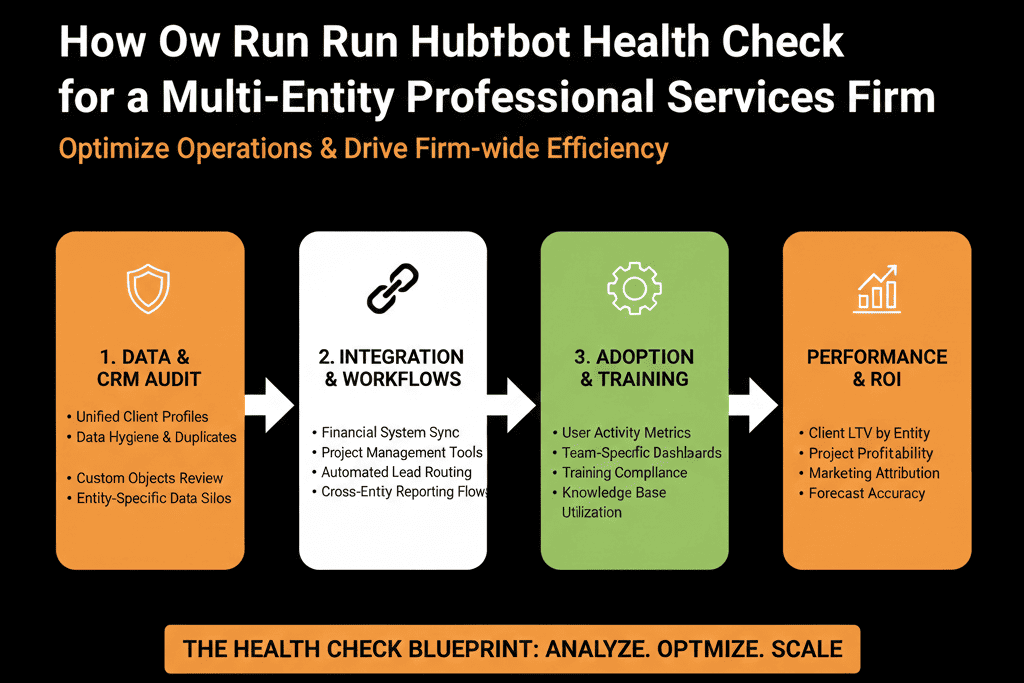
Step 1: Define the Multi‑Entity Operating Model Before Touching HubSpot
Map legal entities, brands, and service lines
Start with the business, not the tool.
In 60–90 minutes with leadership and operations, document:
- Legal entities and how they relate (HoldCo, regional OpCos, specialist entities).
- Go‑to‑market structure: Do entities sell into shared accounts or separate markets? Do they share delivery teams or operate independently?
- Service lines within each entity (e.g., Strategy, Implementation, Managed Services, Training).
- How revenue and margin are reported today (by entity, region, vertical, or service line).
Your Health Check depends on this. Without a clear operating model, “fixing” properties or pipelines just adds more noise.
Decide your “system of record” boundaries
Next, set the role of HubSpot relative to your finance/ERP tools:
- Is HubSpot the system of record for all revenue and deals?
- Or is it the front‑end for pipeline and marketing only, with revenue finalized in another system?
This decision shapes how you handle:
- Multi‑currency deals.
- Entity‑specific revenue attribution.
- Integration behaviour (e.g., from QuickBooks, NetSuite, or similar).
Only when this is clear should you move into the technical review.
Step 2: Diagnose the Data Model for Multi‑Entity Reality
Review how entities and accounts are represented
In HubSpot, most multi‑entity problems show up first in the Companies and Contacts objects.
Audit:
- How are entities represented? Single portal + single brand? Single portal + multiple brands / regions?
- Are there properties for: “Entity” (which P&L or legal entity owns the relationship). “Brand” or “Service Line”. “Region” / “Office”.
- Are there obvious duplicates where the same client exists once per entity or country?
Your goal is to answer one question:
“Can we see the full client relationship across entities without losing entity‑level ownership?”
Check associations and hierarchy
Multi‑entity firms often have:
- Parent/child company structures (global HQ with local subsidiaries).
- Shared contacts buying services from multiple entities.
In the Health Check, we:
- Inspect whether parent/child Companies are used consistently.
- Check association rules: Are contacts tied to the right primary company? Are deals associated with both the buying entity and the ultimate parent, where relevant?
- Look for legacy custom objects that tried to “patch” these relationships.
Document all issues and sketch a target data model. That model later becomes part of your Implementation Blueprint.
Step 3: Audit Pipelines Across Entities and Service Lines
Inventory every pipeline and its real‑world owner
Multi‑entity setups often suffer from pipeline sprawl.
In 30–45 minutes, list:
- All Deal, Ticket, and any custom object pipelines.
- For each pipeline: Which entity/brand uses it? Which service line? Which region or team? Where the same team uses multiple pipelines for the same purpose.
Then ask:
- Does each entity need its own pipeline, or could we segment via properties?
- Are we mixing multiple service lines in a single pipeline with vague stages like “In Progress” or “In Delivery”?
The Health Check output should clearly label pipelines as:
- Keep and standardize.
- Simplify / merge.
- Retire.
Inspect stages, SLAs, and handoffs
Once you know what pipelines exist, look at:
- Stage definitions: Are they clearly defined in business terms? Do they vary wildly across entities for no reason?
- Required fields at key stages: Are we collecting entity, service line, and region where it matters? Are margin, scope, and term captured before “Closed Won”?
- Handoffs: From SDR/BDR → AE/Consultant. From Sales → Delivery/Project team.
Document where deals or tickets stall, especially when moving between entities or teams. Those become priority fixes in your 90‑day plan.
Step 4: Assess Data Hygiene and Governance
Measure the current mess, don’t guess
In multi‑entity environments, data cleanliness directly affects reporting and cross‑sell.
In your Health Check, quantify:
- Duplication rate on Contacts and Companies.
- Percentage of records missing key fields such as: Entity / brand / region. Primary service line. Primary contact and decision‑maker role.
- Volume and sprawl of custom properties: How many are unused? How many are duplicated across objects (“Entity Name”, “Entity_Name”, “Legal Entity” etc.)?
Turn this into a simple scorecard per object (Contacts, Companies, Deals, Tickets) so leadership can see the impact.
Review ownership, visibility, and permissions
Multi‑entity firms often have sensitive client data.
Your Health Check must include:
- Owner assignment patterns: Are owners aligned to the correct entity and territory? Are there records with no owner at all?
- Teams and permissions: Can one entity see or edit another entity’s clients when they should not? Are visibility rules aligned with legal and commercial boundaries?
This is where we often recommend tightening team structures, default permissions, and record assignment workflows as part of the remedial plan.
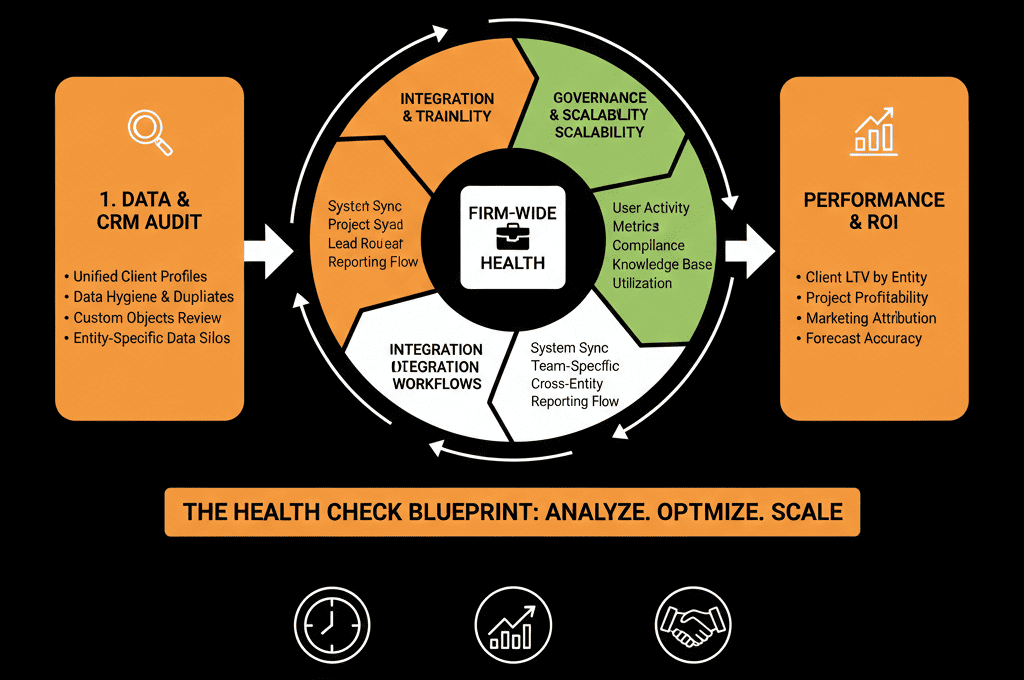
Step 5: Evaluate Automation and Integrations in a Multi‑Entity Context
Map key workflows and who they really serve
In most multi‑entity portals, workflows pile up over years.
During the Health Check, do not try to understand every branch. Focus on:
- Onboarding workflows (from Deal Won to project/ticket creation).
- Lead routing workflows (form submissions, imports, integrations).
- Lifecycle stage management and scoring logic.
For each, answer:
- Which entity/brand/service line is this actually for?
- Is it still active and correct?
- Does it override or conflict with other workflows across entities?
Tag workflows as:
- Critical and correct.
- Critical but flawed.
- Historical / safe to deprecate after testing.
Check integrations and data sync rules
Multi‑entity firms often integrate multiple tools:
- Finance/ERP per entity.
- Project tools for different delivery teams.
- Marketing tools or event platforms per region.
In the Health Check, review:
- Which integrations are live and which entities they serve.
- Whether each integration respects entity boundaries (e.g., tag or property written on records to mark source entity).
- How conflicts are handled when the same contact or company exists in multiple systems.
The objective is not to rebuild integrations now, but to identify where they are contaminating the system of record.
Step 6: Fix Reporting and Executive Dashboards
Audit current dashboards against leadership questions
Dashboards should answer leadership questions, not just show activity.
For a multi‑entity professional services firm, those questions usually are:
- Pipeline and revenue by entity, service line, and region.
- Win rates and cycle time per entity and offering.
- Cross‑sell and multi‑service penetration across entities.
- Utilization/throughput indicators (roughly, not full PSA).
In your Health Check, compare:
- Existing dashboards vs. required views.
- Whether entity and service line filters even work, given data hygiene.
- Which metrics cannot currently be trusted because of data gaps.
This comparison becomes the backbone of the Reporting & Data section of your Implementation Blueprint.
Turning Health Check Findings into a 30–45 Day Action Plan
A Health Check is not a slide deck.
It is a decision‑making tool.
Once you complete the diagnostic:
Prioritize fixes by impact and complexity
- High impact, low complexity: property consolidation, tightening required fields, basic routing fixes.
- High impact, medium complexity: pipeline rationalization, team/permissions restructuring.
- Longer‑term: integration redesign, advanced multi‑entity reporting.
Create a 30–45 day execution plan
- Week 1–2: data hygiene, core properties, basic governance.
- Week 3–4: pipeline and workflow clean‑up by entity.
- Week 5–6: core dashboards and leadership views.
Align this plan to an Implementation Blueprint
For multi‑entity firms, we almost always formalize this as a HubSpot Implementation Blueprint engagement so we are not “just fixing” but architecting around your operating model.
Close and CTA: Run a Structured Health Check Before Rebuilding
For a multi‑entity professional services firm, the biggest risk is not “wrong features”.
It is building on a misunderstood, undocumented portal.
A structured HubSpot Health Check gives you:
- A clear view of how well your portal reflects your entities, brands, and service lines.
- A quantified picture of data hygiene, ownership, and permissions.
- A mapped set of pipelines, workflows, and integrations that either support or block your strategy.
- A 30–45 day remediation plan tied directly to revenue and reporting outcomes.
If you are running a multi‑entity professional services firm on HubSpot and want this diagnosis done with you, request a Free HubSpot Health Check and we will map out your exact gaps and the sequence to fix them.






