



Leadership Doesn’t Fear HubSpot. They Fear a Botched Migration.
When you propose a HubSpot migration, non‑technical leaders rarely say:
“We hate HubSpot.”
They say:
- “Will this break our quarter?”
- “What if we lose data or mess up reporting?”
- “Do we have the internal capacity to do this properly?”
Their concerns are rational. Most have seen:
- Previous CRM rollouts that dragged on and never delivered.
- IT projects that went over budget and underperformed.
- “Temporary” parallel systems that became permanent.
Your job isn’t just to show the upside of HubSpot.
It’s to show you have a risk‑aware, controlled plan to get there.
In this article, we’ll break down the main risk categories non‑technical leadership worry about—and how to address each one in your migration plan.
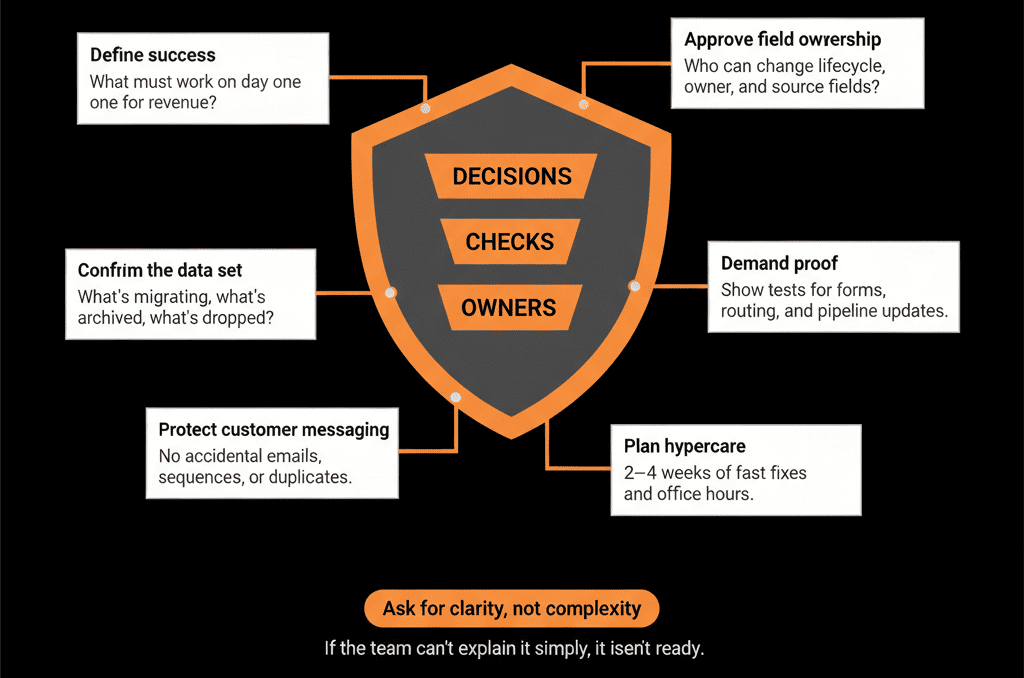
Step 1 – Frame the Migration in Terms of Business Risks, Not Technical Tasks
Instead of talking about fields, objects, and workflows, frame risks in leadership language:
Four main categories:
Operational risk
- Will sales, marketing, and CS be able to do their jobs during the migration?
- Will lead flow, support, and pipeline tracking continue smoothly?
Data risk
- Will we lose or corrupt customer data?
- Will we trust the numbers after the move?
Commercial risk
- Will this hurt revenue in‑quarter?
- Is the cost justified relative to expected gains?
Compliance and security risk
- Are we handling personal and customer data properly?
- Are vendors and integrations controlled and documented?
Once risks are framed this way, you can present specific mitigations—not vague assurances.
Step 2 – Reduce Operational Risk with a Phased, Sales‑Safe Plan
Leadership fear: “This migration will disrupt selling and support.”
Mitigations to present:
Phased rollout instead of big‑bang
Move in waves (by region, team, or function), so:
- Parts of the business stay on the old system while others move.
- You learn and adjust from early waves.
Parallel run for a short, defined window
Keep the old CRM live as primary while HubSpot is:
- Populated and tested.
- Verified to handle lead flow and pipeline.
Then flip the “primary” switch once HubSpot is proven.
Lead flow and support continuity as non‑negotiables
Design the plan so:
- New leads are always captured and routed in one live system.
- Support channels (if migrating Service) are switched only when tested.
Sales‑first go‑live criteria
Define what must be true before Sales moves:
- Pipelines set up and tested.
- Core views and tasks working.
- Key automations (lead assignment, alerts) running.
Explain that the migration plan is built around protecting revenue‑critical operations, not around technical convenience.
Step 3 – Reduce Data Risk with Health Checks and Test Migrations
Leadership fear: “We’ll lose or corrupt important data.”
Mitigations to present:
Pre‑migration Health Check
Audit existing data for:
- Duplicates.
- Missing key fields.
- Inconsistent lifecycles and stages.
Output: a clear picture of what’s safe to migrate and what needs cleaning or transformation.
Data model blueprint
Define upfront:
- Which HubSpot objects you’ll use (Contacts, Companies, Deals, Tickets, custom objects).
- How they’ll map from the old system.
This reduces the chance of misclassification and messy imports.
Test migrations with real samples
Migrate small, representative sets (e.g., 500 contacts, 100 companies, 50 deals) into a test or sandbox environment.
Validate:
- Record counts.
- Key properties.
- Associations (Contacts ↔ Companies ↔ Deals).
Clear acceptance criteria
Agree in advance with business owners:
What “good” looks like for migrated data before full cutover.
Explain that you will validate data in three stages: before, during (test loads), and after full migration.
Step 4 – Reduce Commercial Risk with an ROI‑Linked Scope and Milestones
Leadership fear: “We’ll spend a lot and not see payback.”
Mitigations to present:
Clear ROI hypothesis
Quantify expected impact in:
- Time savings (for Sales, Marketing, RevOps).
- Revenue uplift (from better lead handling and pipeline).
- Tool consolidation savings.
Scoped, outcome‑based phases
Phase 1:
Outcomes like: “single, accurate pipeline,” “consistent lead routing,” “basic lifecycle reporting.”
Phase 2+:
Advanced scoring, ABM, Service Hub, multi‑object reporting.
Cost and benefit profile by phase
Show:
- Implementation + license costs.
- When each outcome will be delivered.
- When you’ll start to see specific benefits.
No “everything at once” scope
Emphasize that the plan avoids bloated scope in favor of a strong core foundation, then iterative gains.
This shifts the conversation from “big IT project” to staged investment with clear checkpoints.
Step 5 – Reduce Compliance and Security Risk with Vendor and Data Governance
Leadership fear: “Are we exposing ourselves to compliance or security issues?”
Mitigations to present:
Vendor review and DPA
Confirm:
- HubSpot is covered by a Data Processing Agreement (DPA).
- Sub‑processors and hosting locations are documented and acceptable.
Role and permission design
Define:
- Which teams see which data.
- Who can export, delete, or bulk edit.
Implement minimal necessary access by role.
Consent and subscription strategy
Preserve and standardize:
Opt‑outs and subscription preferences during migration.
Use HubSpot’s subscription types and consent fields to:
- Respect existing permissions.
- Support future compliance (e.g., GDPR‑style).
Data retention and archiving plan
Show how old systems will be:
- Archived (data exports stored securely).
- Decommissioned in a controlled way.
This shows leadership that you’re not just “moving data,” you’re tightening governance.
Step 6 – Use Testing, Pilot Groups, and Clear Go/No‑Go Gates
Leadership fear: “We’ll flip the switch and only notice problems afterward.”
Mitigations to present:
Pilot groups
Start HubSpot production use with:
- A subset of SDRs/AEs.
- One region or brand.
Gather feedback and correct issues before scaling.
Structured UAT (User Acceptance Testing)
Test from user perspectives:
- “Can I work my leads?”
- “Can I update deals and see my pipeline?”
- “Can I see customer context?”
Go/No‑Go checkpoints
Before each major step (e.g., Sales go‑live, Service go‑live):
Review against criteria:
- Data readiness.
- Process readiness.
- Training delivered.
Rollback/contingency plans
For each cutover, define:
- What happens if something goes wrong.
- How long you’ll keep old systems in read‑only or limited use.
Communicate these controls in business language: “We will not move Sales until these 5 conditions are met.”
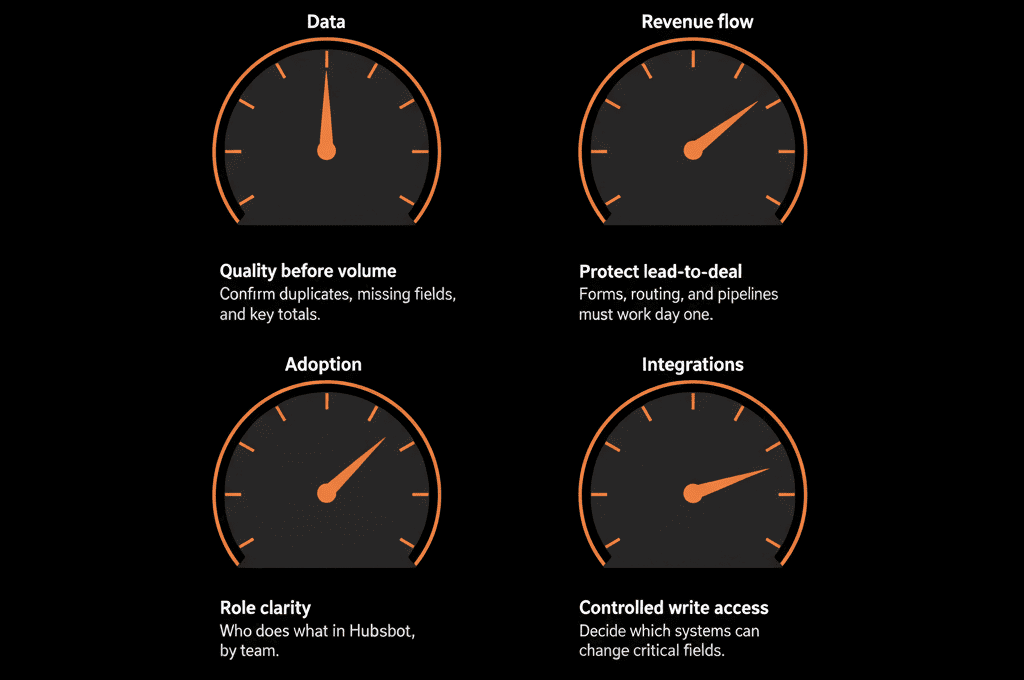
Step 7 – Track Success with a Simple Post‑Migration Scorecard
Leadership fear: “We’ve seen tools implemented that nobody adopted.”
Mitigations to present:
Adoption metrics
- % of active users in HubSpot (by team).
- Activities logged (emails, calls, meetings).
- Deals created and updated in HubSpot vs legacy tools.
Data quality metrics
- % of records with owners, key fields, lifecycles.
- Duplicates and orphan records over time.
Operational metrics
- Lead response time.
- % of dropped or unassigned leads.
- Pipeline coverage and stage progression.
Revenue & performance metrics (over time)
- Win rates, deal cycles, funnel conversion improvements.
Commit to:
A 30/60/90‑day review with leadership where you:
- Show these metrics.
- Identify what’s working and what needs adjustment.
This demonstrates that you see the migration as the beginning of operational improvements, not the end.
Step 8 – Consider an Independent Health Check or External Expert
Leadership fear: “Do we have the internal expertise to do this right?”
Mitigations to present:
Independent Health Check
Engage a specialized HubSpot partner to:
- Validate your data model and migration plan.
- Identify overlooked risks.
- Provide best‑practice benchmarks.
Shared ownership model
Make it clear:
- Internal teams own business decisions and processes.
- External experts provide architecture and technical delivery.
This often gives leadership additional confidence that the plan is reviewed and guided by specialists, not invented from scratch.
Pulling It Together: Turn “High‑Risk IT Project” into “Managed Business Transition”
To de‑risk a HubSpot migration for non‑technical leadership, you don’t need to explain every technical detail.
You need to show that:
- You understand the risks they care about.
- You have specific mitigations for each.
- You’ll measure success and adjust based on real‑world performance.
In practice:
- Frame risks in operational, data, commercial, and compliance terms.
- Present a phased plan that protects lead flow, pipeline, and support.
- Use Health Checks, test migrations, and data models to protect data.
- Align the project to a simple ROI story with staged benefits.
- Govern security, consent, and decommissioning of old systems.
- Use pilots, UAT, and go/no‑go gates to avoid surprises.
- Track a post‑migration scorecard to prove adoption and impact.
Do this, and the conversation with leadership shifts from:
“Is this too risky right now?”
to:
“We have a controlled plan to reduce risk and unlock meaningful upside.”
Want Help De‑Risking a HubSpot Migration for Your Leadership Team?
If you’re convinced HubSpot is the right move but need a risk‑aware plan leaders can support, this is exactly where we can help.
Our HubSpot Portal Health Check and Migration & ROI Plan are designed to:
- Identify your real migration risks and dependencies.
- Build a phased, controlled transition plan leaders can understand.
- Quantify the upside and define metrics for post‑migration success.






