



Territory Slides Don’t Move Deals. Territory Logic Does.
Most teams have a beautiful territory/segment slide:
- EMEA vs NAM.
- SMB vs Mid-market vs Enterprise.
- Industry pods.
But in HubSpot:
- Owners are set manually.
- SDRs and AEs fight over accounts.
- Reports can’t slice by territory cleanly.
Operationalizing territories in HubSpot means:
- Clear rules in properties.
- Automated routing and ownership.
- Consistent reporting across marketing, sales, and CS.
Here’s how we set it up.
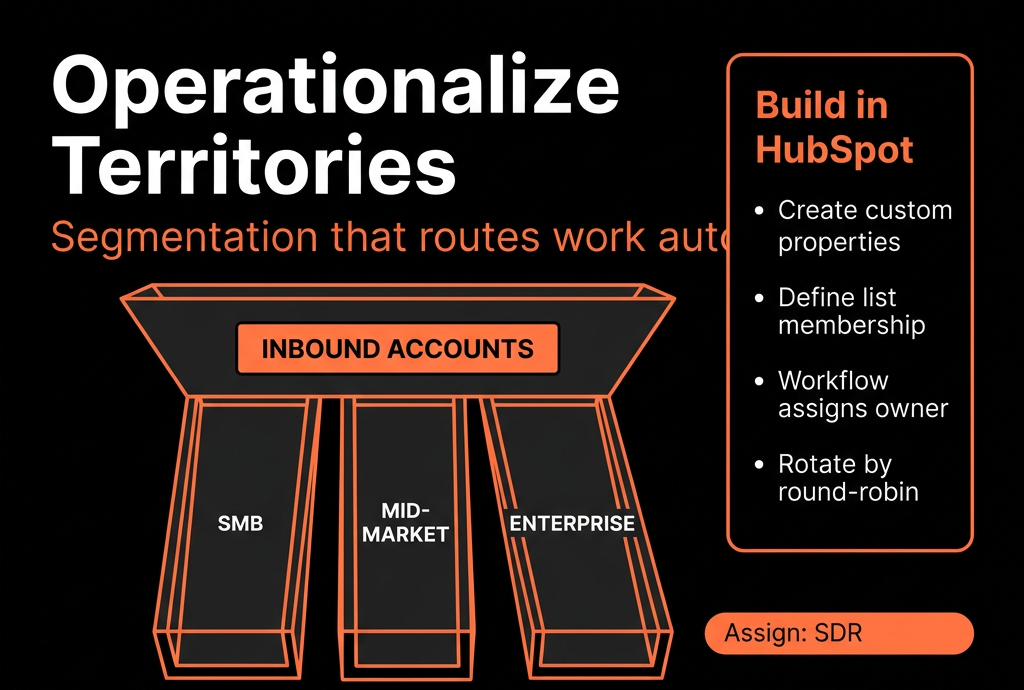
Step 1 – Decide Your Primary Segmentation Axes
Pick the 2–3 dimensions that actually drive GTM:
Typical ones:
- Region (EMEA, NAM, APAC, LATAM).
- Company size (by employee count or revenue bands).
- Industry.
- Strategic vs non-strategic (named accounts).
Write them as rules, not vibes:
- EMEA = countries: UK, DE, FR, etc.
- Mid-market = 100–999 employees.
- Enterprise = 1000+ employees.
- Strategic = named list maintained by RevOps.
These rules will drive properties and workflows.
Step 2 – Create Canonical Segmentation Properties on Companies
On Company, create:
- Region (Dropdown: NAM, EMEA, APAC, LATAM, etc.).
- Segment (Dropdown: SMB, Mid-market, Enterprise, Strategic, etc.).
- Territory (optional, if you need more granular splits, e.g., “UK&I Mid-market”).
- ICP fit (High/Medium/Low or A/B/C).
Make them:
- Dropdowns or radios only (no free-text).
- Documented with clear definitions in property descriptions.
HubSpot’s Company, not Contact or Deal, should be the main place for territory & segment labels.
Step 3 – Normalize the Raw Inputs You’ll Use
To populate Region/Segment/Territory, you need clean inputs:
- Country (from forms, enrichment, imports).
- Number of employees (or Revenue).
- Industry.
- Named account lists (Strategic/ABM) via import or manual tagging.
Use:
- Form options and dependent fields to standardise values.
- Enrichment tools (Clearbit, ZoomInfo, Apollo, etc.) where possible.
- Import templates that force these fields cleanly.
Without this, workflows will be brittle.
Step 4 – Use Workflows to Auto-Set Region, Segment, and ICP Fit
Create Company-based workflows:
Region assignment
Trigger:
- Country known AND Region is unknown.
Actions:
- If Country in [US, Canada] → Region = NAM.
- If Country in [UK, DE, FR, …] → Region = EMEA.
- Etc.
Segment assignment
Trigger:
- Number of employees known AND Segment unknown.
Actions (example):
- 1–49 → SMB.
- 50–249 → Lower Mid-market.
- 250–999 → Upper Mid-market.
- 1000+ → Enterprise.
ICP fit
Rules combining industry + size + tech + other signals into High/Med/Low.
These workflows keep segmentation automatic and consistent.
Step 5 – Define Territory-to-Owner Mapping
Now map segmentation to who owns what.
Decide ownership at the Company level first:
- NAM Mid-market → AE team A.
- EMEA Enterprise → AE team B.
- SMB all regions → SDR-only until qualified.
- Strategic accounts → named owner list (manual or import-sync).
Turn this into a simple mapping table:
If Region = X AND Segment = Y → Owner pool = Z.
You’ll use this in routing workflows.
Step 6 – Implement Territory-Based Assignment Workflows
Use Company-based workflows (and optionally Contact-based for leads):
Company owner assignment
Trigger:
- Company created OR updated with Region/Segment.
- Company owner is unknown.
Actions:
- Branch by Region + Segment: Assign round-robin to appropriate owner/team.
- For Strategic accounts: If Strategic list flag = Yes → set owner to named AE, override others.
Contact owner sync
Trigger:
- Contact associated with a Company where Company owner is known AND Contact owner is unknown.
Action:
- Set Contact owner = Company owner.
Deal owner sync
Trigger:
- Deal created AND Associated Company exists.
Action:
- Set Deal owner = Company owner (or follow your SDR/AE model).
Now territory logic drives ownership, not guesswork.
Step 7 – Build Territory and Segment Reporting
With properties and ownership in place, set up dashboards:
Territory performance
- Closed Won by Region / Segment / Territory.
- Pipeline by Region / Segment / Territory.
- Win rate and average deal size per segment.
- Coverage and whitespace
- Number of Companies by Region/Segment with no open Deals.
- Accounts per owner by segment (to check load).
Activity and SLA by territory
- Calls, emails, meetings, and SLAs by territory.
- Response times for inbound by Region and Segment.
Now leaders can see where performance is strong/weak and if territories are balanced.
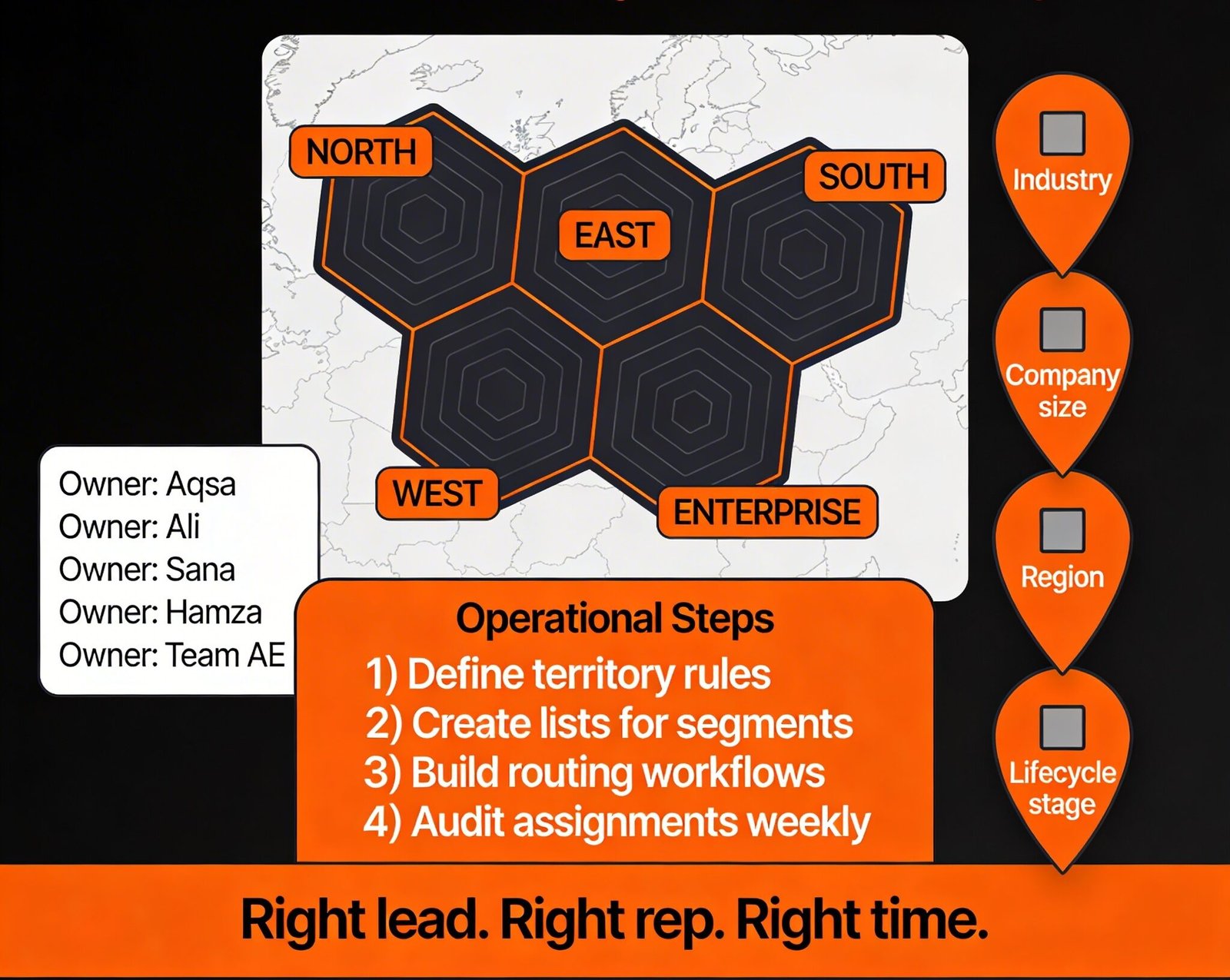
Step 8 – Use Segmentation in Marketing and CS, Not Just Sales
Make segmentation useful across GTM:
Marketing
- Build lists by Region/Segment/ICP fit for campaigns.
- Report on pipeline and revenue by segment, not only by channel.
CS / Renewals
- Assign CSMs by territory segments.
- Renewal pipeline and NRR by Region/Segment.
- Health scoring that considers segment (e.g., SMB vs Enterprise thresholds).
HubSpot becomes the shared language for who you serve and how.
Step 9 – Governance: Keep Territories and Segments From Drifting
Things change: org structures, regions, ICP.
Guardrails:
Property governance:
- Only RevOps can edit Region/Segment/Territory definitions.
- Lock down who can edit these fields manually.
Change management:
- When territories change, update: Mapping docs, Workflows, Owner assignments (bulk update if needed).
Regular review (quarterly):
- Check for Companies without Region/Segment.
- Balance accounts per owner.
- Adjust rules as your ICP sharpens.
Step 10 – Roll Out in Phases, Not a “Big Bang”
To avoid chaos:
- Pilot in one region or one motion (e.g., NAM Mid-market only).
- Validate: Ownership looks right, Routing rules work, Reports make sense.
- Expand to other segments/regions.
- Communicate clearly to teams: What changed, How ownership is decided, Where to see your territory in HubSpot (views & dashboards).
This way, HubSpot slowly becomes the trusted territory engine, not an overnight surprise.
Want a Territory Blueprint Implemented Directly in Your HubSpot?
If your current “territories” live in slides while HubSpot owners and reports tell a different story, we can help align them.
Through our HubSpot Implementation Blueprints, Portal Health Check, and Managed RevOps Retainer, we:
- Design your Region/Segment/Territory model as properties and rules.
- Implement workflows for territory-based routing and ownership.
- Build dashboards so you can see performance and coverage by territory.
- Set up governance so changes don’t break everything six months later.



