



Real Estate Is Fragmented by Nature. Your Stack Doesn’t Have to Be.
If you’re a:
- Residential or commercial brokerage,
- Real estate developer, or
- Investment sales/advisory team,
…you’re juggling:
- Inventory (projects, units, listings, spaces).
- Buyers, tenants, investors, and owners/landlords.
- Portals (Zillow, Rightmove, local MLS/IDX).
- Deals and escrows.
- Accounting and investor reporting.
Most setups look like:
- Portals with their own lead inboxes.
- Spreadsheets for project inventory.
- Email and WhatsApp for deal tracking.
- A property system or Excel for investors.
HubSpot can be the central GTM and relationship hub if you build the right stack around it.
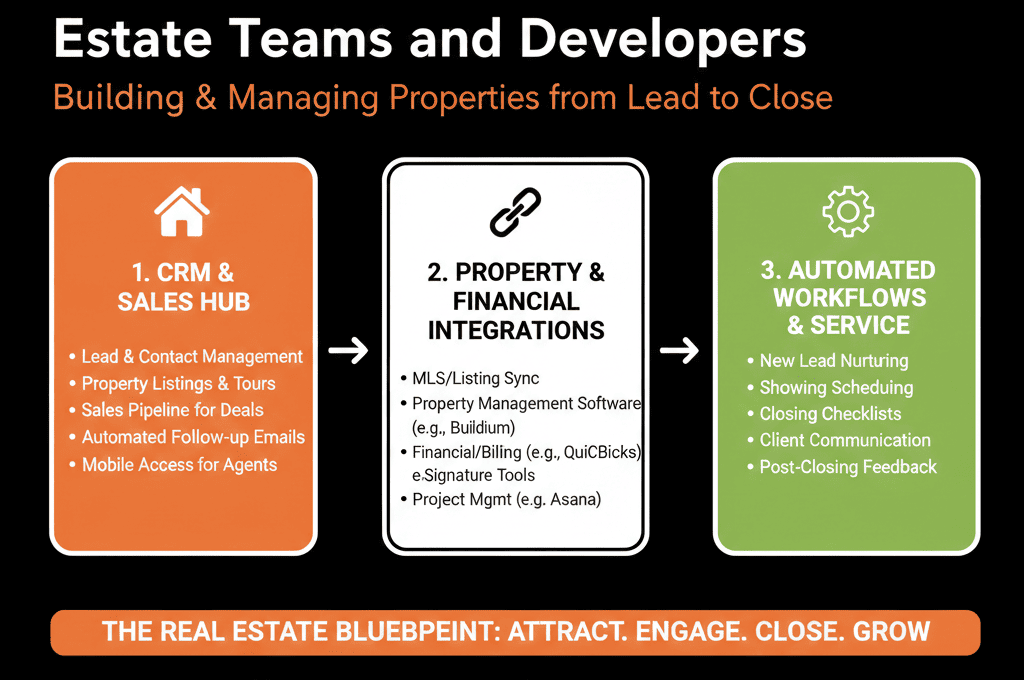
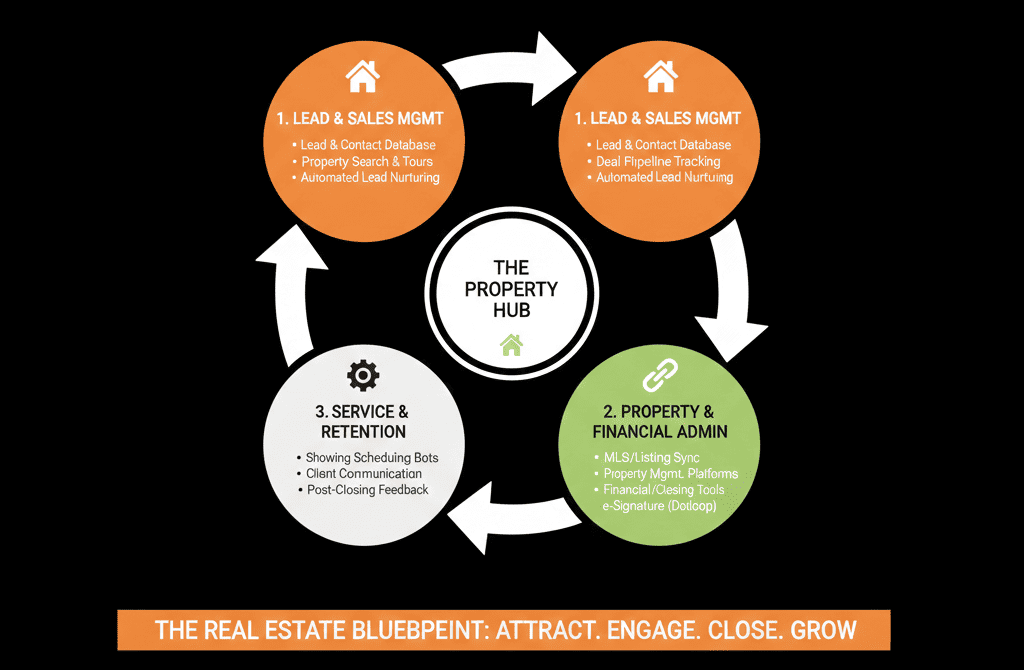
This article describes an ideal HubSpot stack for real estate teams and developers:
- What HubSpot should own.
- How it fits with listing/MLS, project/inventory, and accounting tools.
- The workflows from lead → deal → closing (and beyond).
1. HubSpot’s Role in a Real Estate Stack
HubSpot should be your system of record for:
People and organizations:
- Buyers, tenants, investors, owners, landlords, partners, agents (Contacts + Companies).
Commercial motions:
- Enquiries and leads from all channels.
- Sales/lease opportunities (Deals).
- Capital-raising and investor mandates.
GTM activity:
- Emails, calls, tours, meetings, marketing campaigns.
Reporting:
- Pipeline, deals, and revenue by project, listing, agent, investor segment.
Other tools remain systems of record for:
- Listing/MLS data.
- Inventory/project details.
- Legal contracts, deeds, and transaction records.
- Accounting, rent rolls, and investor distributions.
Principle:
HubSpot = relationship + deal/pipeline hub.
Property/MLS/accounting systems = inventory + transaction SORs.
2. Listing Portals and Website / MLS Integration
Purpose: stop losing or duplicating portal and website leads.
Typical sources:
- Portals (Zillow, Rightmove, Idealista, etc.).
- Local MLS/IDX feeds.
- Developer project sites, landing pages, and forms.
Integration goals:
Centralize all enquiries in HubSpot
Use API, email parsing, or integration tools to push:
- Name, contact details.
- Property/project of interest.
- Source (portal, MLS, website, signboard, referral).
All website forms should create:
- Contact in HubSpot.
- Deal when appropriate (e.g., project/specific listing).
Standardize lead data
On Contacts/Deals:
- Lead source (portal, website, agent referral, walk-in, etc.).
- Property or project reference.
- Buyer/tenant/investor type (owner-occupier, investor, corporate, etc.).
Route leads to the right people
Based on:
- Listing/agent.
- Region/office.
- Project/team.
Use workflows to assign owners and create follow-up tasks.
Outcome:
No more leads trapped in portal inboxes.
Single view of lead volume and quality by source.
3. Project and Inventory Management Connection
Purpose: keep HubSpot aware of what’s available, reserved, or sold—without turning it into a full inventory system.
Typical systems:
- Developer inventory tools.
- Custom project spreadsheets.
- Specialized real estate CRMs or PMS.
Integration goals:
Sync key inventory/project data into HubSpot
For developments:
- Project name and ID.
- Basic unit data (unit number, type, size, price band, status).
For commercial:
- Building, floor, space, size.
- Asking rent/price and availability.
Implementation patterns:
- Simple: store project/listing details as fields on Deals.
- Advanced: use a custom “Property/Unit” object in HubSpot and associate Deals.
Use inventory data in GTM
Segment leads by:
- Which project/listings they enquired about.
- Affordability and fit (budget vs price).
Agents see:
- Current availability status when working leads.
Principle:
Let your inventory/project system own the deepest details; sync enough into HubSpot so your teams sell and follow up intelligently.
4. Deal and Escrow Workflow Integration
Purpose: track transactions from accepted offer/LOI through closing.
Typical systems:
- Transaction coordinators’ tools.
- Legal/document systems.
- Title/escrow tools (region-dependent).
Integration goals:
Use HubSpot Deals to represent transactions
For sales: each Deal = a specific buyer + property/unit.
For leases: each Deal = tenant + space.
For investment: each Deal = investor commitment + project.
Fields:
- Offer price/rent.
- Status (Offer, Under Contract, Escrow, Closed).
- Expected close date.
- Commission/fee.
Sync/reflect escrow milestones
From external tools (or manual updates if integration is not available):
- Contracts signed.
- Deposits received.
- Contingencies cleared.
- Closing/funding done.
Automate tasks around stages
On Offer Accepted → tasks for:
- Legal docs.
- Inspections.
- Financing coordination.
On Close → tasks for:
- Post-close communications.
- Handovers or move-in coordination.
- Asking for referrals or reviews.
Outcome:
Clear view of active deals and where they might be stuck.
Consistent workflows for teams and coordinators.
5. Investor and Capital-Raising Stack for Developers
Purpose: manage investors and capital alongside projects.
Typical tools:
- Investor portals.
- Fund admin tools.
- Excel-based tracking.
Integration goals:
Use HubSpot for investor CRM and pipeline
Contacts:
- Individual investors, family offices, funds.
Companies:
- Institutions, fund-of-funds, lenders.
Deals:
- Each investor commitment/mandate.
Bring high-level capital data into HubSpot
From fund admin/investor systems:
- Committed vs funded capital.
- Current investment(s) per investor.
- Distribution history summary (optional).
Drive investor communications
- Project updates.
- New opportunity announcements.
- Reporting notifications.
Principle:
Investor portals hold legal commitments and documents; HubSpot manages relationships, deals, and outreach.
6. Accounting and Back-Office Integration
Purpose: inform GTM with basic financial signals.
Typical systems:
- Xero, QuickBooks, Sage, Yardi, MRI, etc.
Integration goals:
Sync key financial metrics back into HubSpot
On Companies/Deals:
- Closed deal commissions/fees.
- Outstanding receivables (optional, summarized).
- Rent roll or key lease value metrics (for relevant teams).
Use these for segmentation and prioritization
High-LTV clients for:
- Relationship programs.
- Cross-sell/new projects.
Delinquent accounts flagged before sending “premium” opportunities.
Principle:
Back-office systems own accounting; HubSpot only needs enough information to steer sales and relationship resources.
7. Core HubSpot Workflows for Real Estate Teams and Developers
Key workflows that tie the stack together:
Lead intake & assignment
Every enquiry from portals/website/phone:
- Normalized fields (source, property, project).
- Lifecycle = Lead.
- Assigned owner.
Routing based on:
- Project/listing.
- Region/office.
- Agent availability.
Follow-up SLAs
For high-intent leads (e.g., “book a tour”):
- Create tasks with tight deadlines.
- Escalate if no activity within X hours.
Stage-based automation for Deals
When moving:
- Lead → Viewing / Tour → create appointment tasks.
- Offer → Under Contract → create legal/escrow tasks.
- Closed → send post-closing communications and review/referral requests.
Marketing nurture for long-cycle buyers/investors
Workflows based on:
- Budget/segment.
- Asset type (residential, commercial, mixed-use).
- Interest in particular projects/locations.
Project and inventory awareness
Workflows to:
- Alert agents when new inventory matches saved preferences.
- Notify leads when new phases or units launch.
8. Example Ideal Stack Around HubSpot for Real Estate
A realistic, strong configuration might be:
- HubSpot – CRM, marketing, sales, investor and buyer/tenant CRM.
- Listing/MLS systems & portals – integrated to push enquiries into HubSpot.
- Project/Inventory system – integrated (or at least mapped) for availability and pricing signals.
- Transaction/escrow tools – driving milestone updates to HubSpot.
- Investor/fund admin tools – integrated in summary.
- Accounting/back-office tools – providing aggregated financial context.
- Website/CMS – feeding forms and behavior to HubSpot.
With HubSpot as:
The single place where:
- Agents see their leads and deals.
- Developers see pipeline by project.
- Leadership sees revenue and capital-raising performance.
What You Can Do in the Next 60 Days
If you’re a real estate team or developer wanting a better stack:
Define HubSpot’s central role:
- Lead/relationship + deal + investor hub.
List your current systems:
- Portals/MLS.
- Inventory/project system.
- Escrow/transaction.
- Investor/fund admin.
- Accounting.
Prioritize two integrations:
- Portals/website → HubSpot leads.
- Inventory or project data → HubSpot (project/listing context).
Implement/refine these workflows:
- Lead intake and agent assignment.
- Deal stage transitions with tasks.
- Basic investor pipeline (if relevant).
Build 2–3 dashboards:
- Pipeline by project/listing.
- Agent performance.
- Investor pipeline (for developers).
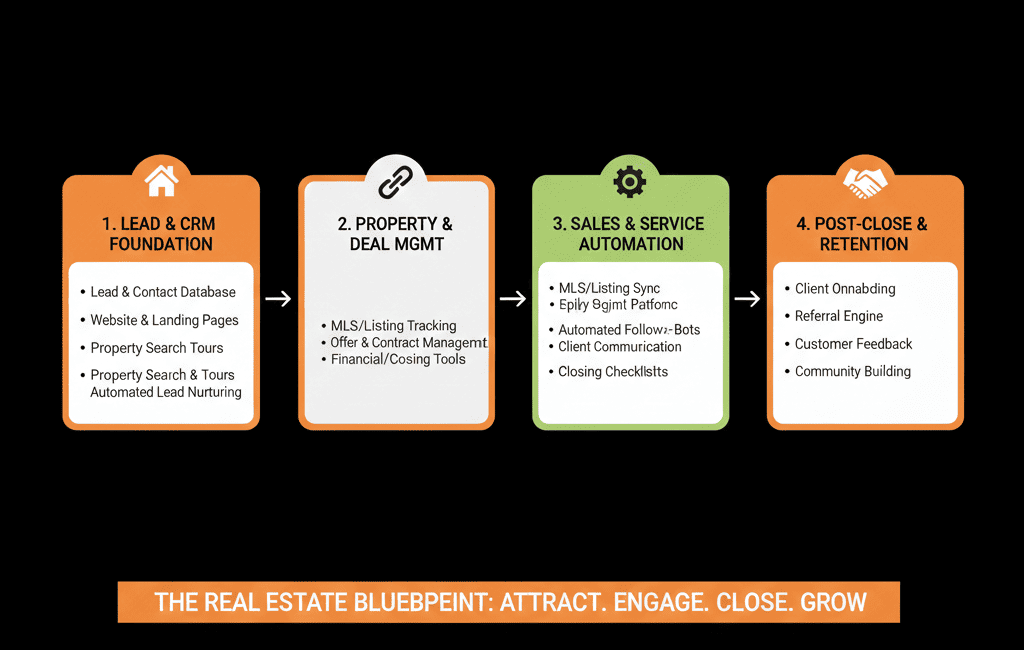
Want a Real Estate–Specific HubSpot Stack Blueprint?
Real estate stacks are messy by default:
- Too many portals.
- Too many spreadsheets.
- Too many systems that don’t talk.
Our HubSpot Portal Health Check / HubSpot Audit can:
- Map your current GTM, inventory, transaction, and investor flows.
- Propose an ideal, HubSpot-centered architecture and integration plan.
- Provide a 60–90 day roadmap to get from “disconnected tools” to a coherent stack.






