



If You Own RevOps, HubSpot Is Your Control Room
As a RevOps leader, your job is to:
- Align Marketing, Sales, and CS.
- Make the revenue engine predictable.
- Keep systems usable and data trustworthy.
HubSpot is where all of that shows up in reality.
But most RevOps leaders inherit portals that are:
- Reporting‑heavy but process‑light.
- Full of workflows but low on governance.
- Good at marketing campaigns, weak at full‑funnel RevOps.
To use HubSpot as your RevOps console, you need three things:
- The right dashboards.
- The right processes wired into HubSpot.
- The right guardrails to keep it all from degrading.
This article covers the essentials for each.
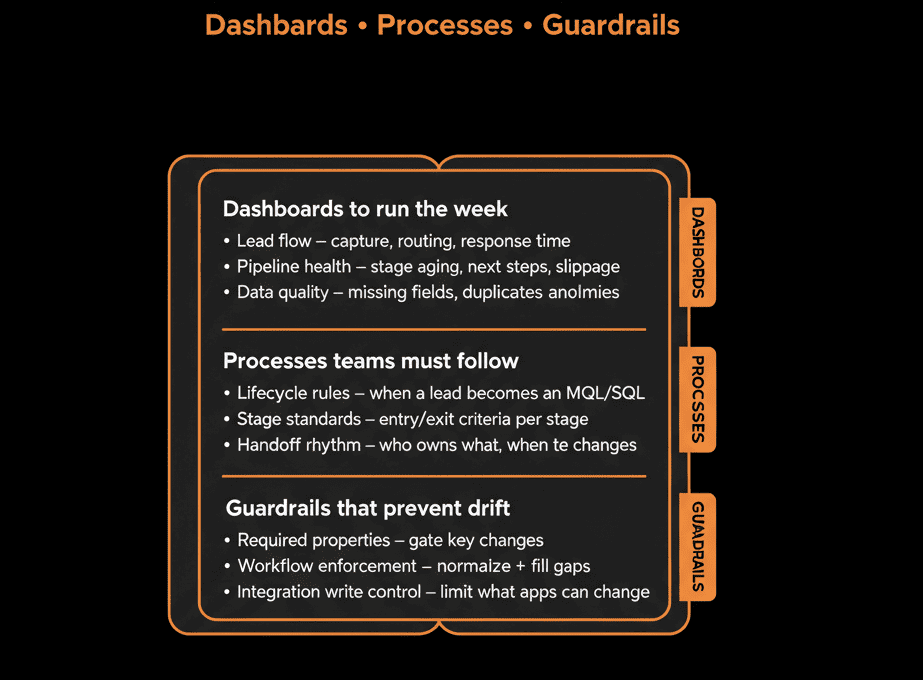
Part 1 – Dashboards: The RevOps “Vitals” in HubSpot
You don’t need 30 dashboards.
You need a small set that answer core RevOps questions at a glance.
Executive Revenue Dashboard
Purpose: Give leadership a single view of revenue health.
Key components:
- Pipeline by stage, segment, region, and product.
- Forecast vs actual (for the quarter and year).
- New business, expansion, and churned revenue.
- Win rates and average deal cycle time.
How you use it:
- Weekly exec/RevOps meetings.
- Early detection of pipeline gaps and regional/product imbalances.
Funnel & Conversion Dashboard
Purpose: See where leads/deals are leaking across the lifecycle.
Key components:
- Lead → MQL → SQL → Opportunity → Closed Won conversion rates.
- Volumes and conversion by channel and campaign.
- Stage‑to‑stage conversion for deals (by segment/product).
How you use it:
- Identify where to focus optimization (generation, qualification, sales motion).
- Align Marketing and Sales on what “good” looks like.
GTM Operations & SLA Dashboard
Purpose: Monitor process adherence and speed.
Key components:
- Lead routing performance: % of high‑intent leads assigned within SLA, time‑to‑first‑touch for new leads.
- Ticket SLAs (if using Service Hub): first response and resolution times.
- Activities vs outcomes: calls/emails/meetings vs opportunities created/moved.
How you use it:
- Ensure SLAs are feasible and followed.
- Coach teams on behavior (speed, follow‑up) that moves the needle.
Data Health Dashboard
Purpose: Track whether HubSpot data is fit for RevOps use.
Key components:
- % of Contacts with owner, lifecycle, country/region.
- % of Companies with owner, industry, ICP tier.
- % of Deals with amount, close date, stage, primary company/contact.
- Duplicates and orphan records.
How you use it:
- Drive prioritization for data clean‑up and validation improvements.
- Prove that hygiene efforts are working.
Customer & Expansion Dashboard (RevOps + CS)
Purpose: Link CS, health, and expansion into a revenue view.
Key components:
- ARR/MRR by segment and health score.
- Renewal pipeline by quarter and risk level.
- Expansion pipeline and realized expansion.
- Support volume and NPS/CSAT overlays.
How you use it:
- Align Sales and CS on renewals and expansion focus.
- Tie CS metrics into revenue outcomes.
Part 2 – Processes: What Must Be Codified in HubSpot
Dashboards reflect reality—but only if processes are actually executed in HubSpot.
Core processes RevOps should hard‑wire into HubSpot:
Lead Lifecycle & Qualification
Define:
- Clear lifecycle stages (Subscriber, Lead, MQL, SQL, Opportunity, Customer, etc.).
- Entry/exit criteria that Marketing & Sales agree on.
Implement:
- Workflows that set lifecycle based on behavior and deals.
- Views/lists for SDRs/AEs to work each stage.
- Feedback loop from Sales to Marketing (accepted/rejected MQLs).
Result: You can report on funnel and quality without arguing definitions.
Deal & Pipeline Management
Define:
- Pipelines (new business, expansion, renewals).
- Stages with business‑level definitions (not just names).
Implement:
- Required fields at key stage transitions (amount, close date, next step).
- Activities logged and visible on deal timelines.
- Expectations for hygiene (closing stale deals, updating stages).
Result: Forecasts and pipeline conversations reflect reality, not wishful thinking.
Onboarding & Handoffs to CS
Define:
- What qualifies a deal as ready for CS.
- What information CS needs (scope, timeline, stakeholders, risks).
Implement:
- Auto‑creation of onboarding tickets/projects when deals close‑won.
- Required handoff fields on the deal before CS can start.
- CS views that show context directly from the deal and company.
Result: Fewer “we didn’t know that” moments after the sale.
Renewal & Expansion Motions
Define:
- How renewals and expansions are represented (separate pipelines or motion type fields).
- Triggers for renewal and expansion activities (time‑based and signal‑based).
Implement:
- Workflows that create renewal deals X days before end dates.
- Alerts/tasks when key signals fire (usage changes, support spikes, NPS).
- Shared views for Sales+CS on renewal and expansion opportunities.
Result: Renewals and expansions become managed motions, not ad hoc heroics.
Part 3 – Guardrails: How RevOps Keeps HubSpot from Degrading
Guardrails are what let you scale usage and complexity without losing control.
Three major categories:
Data & Property Guardrails
Data dictionary
Document key properties, definitions, and owners.
Property governance
New properties require:
- A clear use case.
- An owner.
- Defined field type and allowed values.
Validation
- Dropdowns instead of free text for critical fields.
- Required fields on forms and stage transitions.
- Workflows to normalize (e.g., country, industry) and prevent regressions.
Impact: Data remains usable as you add more users and processes.
Workflow & Integration Guardrails
Workflow standards
- Naming conventions: e.g., REVOPS – Routing – Inbound leads, CS – SLA – High priority tickets.
- Documentation in descriptions (what it does, owner, last review date).
Change control
Non‑urgent changes to critical workflows go through RevOps review.
Integration rules
For each integration:
- What it can read from HubSpot.
- What it can write (and to which fields).
- Which system is source of truth for each key property.
Impact: Fewer “mystery” changes, less risk of integrations trashing core data.
Permissions & Access Guardrails
Role‑based permissions
Who can:
- Edit pipelines and properties.
- Create/delete records.
- Export data.
Team‑based access
Limit sensitive account visibility where necessary (by region/segment).
Admin discipline
- A small, trusted group with super admin rights.
- Everyone else operates within clearly defined roles.
Impact: Protects data security and structure as the team grows.
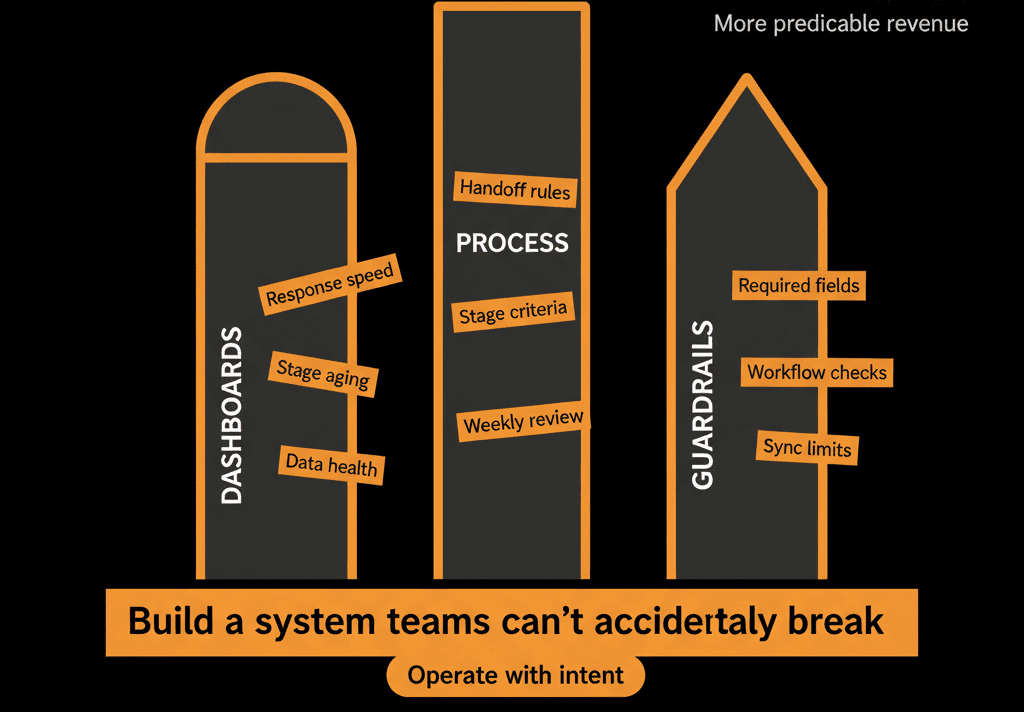
Pulling It Together: HubSpot as the RevOps Leader’s Operating Console
For a RevOps leader, a mature HubSpot setup means:
Dashboards that show you:
- Pipeline, funnel, health, and data integrity at a glance.
Processes that ensure:
- Leads, deals, and customers move through a defined, measurable journey.
Guardrails that protect:
- Data quality.
- System behavior.
- Security and compliance.
With those in place, you can:
- Spot leading indicators—not just lagging ones.
- Align teams on reality rather than opinions.
- Spend more time optimizing and less time firefighting.
Want HubSpot Set Up the Way a RevOps Leader Actually Needs It?
If your HubSpot portal isn’t yet the control room you need for RevOps—this is where we can help.
Our HubSpot Portal Health Check and Migration & ROI Plan are designed to:
- Audit your current dashboards, processes, and guardrails.
- Design a RevOps‑grade HubSpot structure around your GTM model.
- Deliver a 60–90 day roadmap to get from “marketing tool” to “RevOps console.”






