If Everything Is “The Source of Truth”, Nothing Is
Most RevOps stacks grow reactively:
- Add outreach tool.
- Add CS platform.
- Add billing.
- Add a data warehouse.
Every vendor claims to be “the source of truth”.
Then you have 5 sources, 0 truth, and HubSpot is just “where marketing lives”.
We position HubSpot differently:
HubSpot is the revenue system of record and orchestration layer for GTM.
Not the only tool—but the connective tissue.
Here’s how we decide what HubSpot should own, what it should integrate, and what it should leave alone.
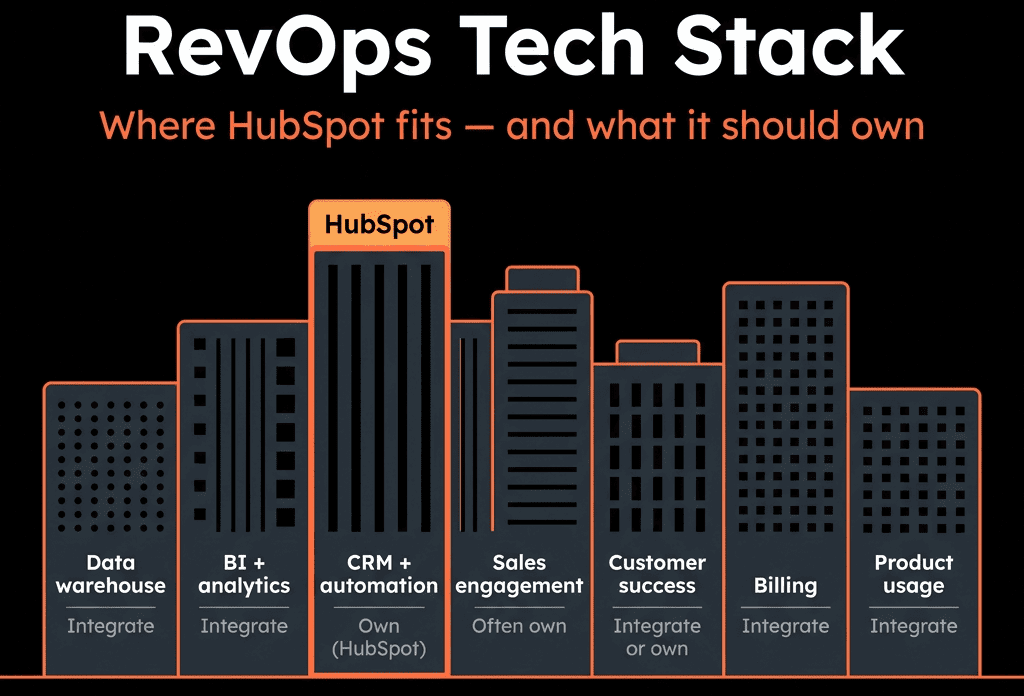
Step 1 – Map the Core RevOps Domains Before Mapping Tools
Start with functions, not software:
- Demand & acquisition
- Sales execution & pipeline
- Customer success & service
- Billing & revenue recognition
- Product usage / in-app behavior
- Data & analytics
Then decide:
- Where should data be created?
- Where should it be managed and enriched?
- Where should it be reported and acted on?
HubSpot usually plays in 1–4 directly, 5–6 via integrations.
Step 2 – What HubSpot Should Unequivocally Own
For most B2B orgs, HubSpot should own:
Lead and contact management
- Canonical record for prospects and customers from a GTM perspective.
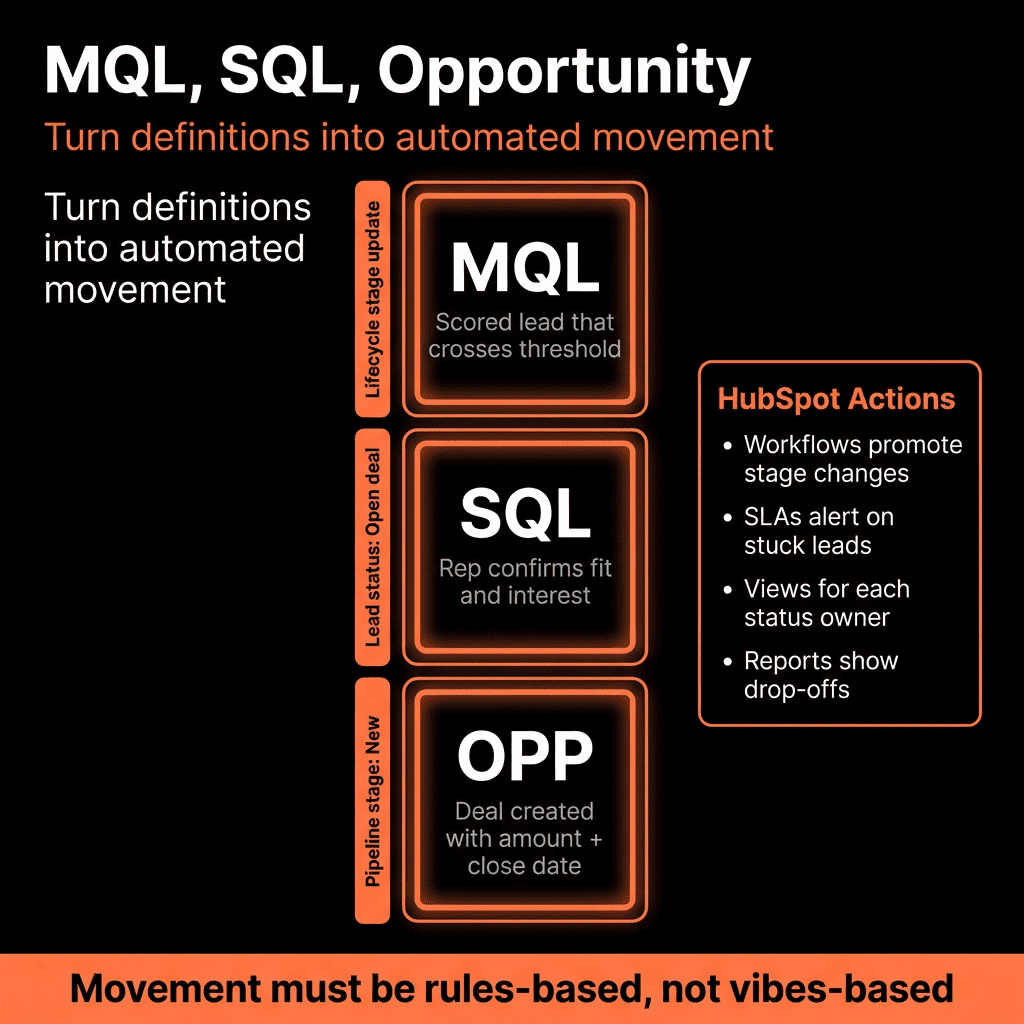
- Forms, lists, lifecycle stages, lead status, segmentation.
Marketing execution and attribution (if you’re on Marketing Hub)
- Email campaigns, landing pages, forms, basic web analytics.
- Campaign structure, UTMs, first/last touch fields.
Sales pipelines and activities (if you’re on Sales Hub)
- Deals, pipelines, stages, tasks, notes, meetings, sequences.
- Forecasting and sales reporting.
Customer communications and tickets (if you’re on Service Hub)
- Support tickets and basic CS workflows.
- NPS/CSAT surveys.
- Knowledge base and shared inbox (if centralised).
GTM automation
- Workflows for routing, lifecycle, SLAs, data hygiene.
- Simple lead scoring and enrichment logic.
Operational reporting for GTM teams
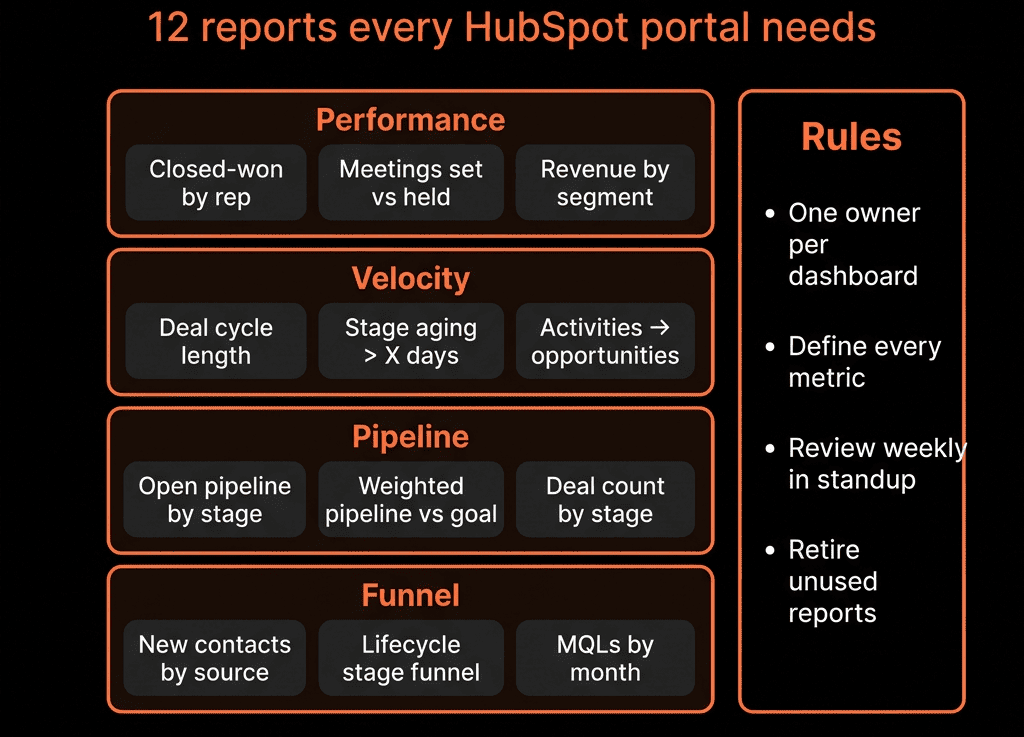
- Funnel, pipeline, attribution, activity, SLAs.
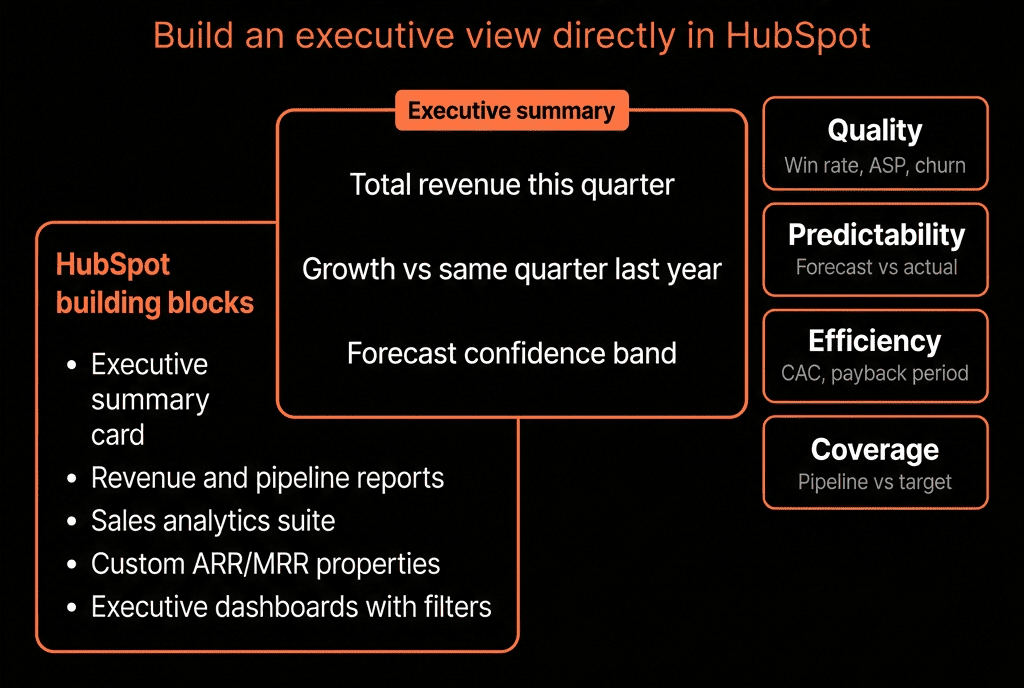
- Executive dashboards for marketing, sales, and CS.
This is the “HubSpot as RevOps OS” core.
Step 3 – Where HubSpot Should Integrate, Not Replace
There are domains where HubSpot should be fed by or feed into specialised tools, not try to own everything.
Billing and subscription management
- Stripe, Chargebee, Recurly, NetSuite, etc.
- HubSpot should mirror key fields: MRR/ARR, plan, term, status.
- Billing system remains financial system of record.
Product usage / in-app analytics
- Pendo, Amplitude, Mixpanel, Segment, native app events.
- HubSpot stores summarised signals: last login, usage level, feature adoption flags.
- Product analytics tools keep raw event firehose.
Advanced support platforms
- Zendesk, Intercom, Freshdesk.
- If Service Hub isn’t your primary support system, sync high-level ticket metrics and CSAT into HubSpot for health scoring and RevOps reporting.
Data warehouse and BI
- BigQuery, Snowflake, Redshift + Power BI/Looker/Tableau.
- Warehouse combines HubSpot + product + billing + other data for complex analysis.
- HubSpot remains where GTM teams operate; BI is where data teams analyse.
HubSpot is the GTM “front office”; these tools are deeper systems behind the scenes.
Step 4 – Where HubSpot Might Own or Coexist (Case by Case)
These are “it depends” areas:
Sales engagement / outbound
- Native: Sequences, tasks, templates, snippets.
- External: Outreach, Salesloft, Apollo, etc.
Rule of thumb:
- SMB / mid-market with <50 reps → often fine using HubSpot-only.
- Big outbound motion, complex territories → external tool may make sense, but HubSpot must still be the deal + contact record.
Customer success platforms (Gainsight, Totango, Catalyst)
- If your CS motion is light-to-medium, Service Hub + HubSpot tickets + health scoring is often enough.
- Heavy CS org with complex playbooks, success plans, and usage models → CS tool may own the workflows but still sync health and key actions into HubSpot for RevOps alignment.
Forms and website
- Native HubSpot CMS + forms vs external CMS (WordPress, Webflow, etc.) with embedded HubSpot forms or tracking.
- HubSpot should still own the lead capture event and contact creation, even if CMS is external.
We decide based on scale, complexity, and team skills—not brand loyalty.
Step 5 – Define a Clear “System of Record” Map
To avoid fights between tools, we define:
- Contact & Company SOR: HubSpot
- Deal & Pipeline SOR: HubSpot
- Ticket SOR: HubSpot or support tool (pick one; sync summary to the other).
- Product usage SOR: Product analytics / warehouse.
- Billing & invoices SOR: Finance/billing system.
- Analytics SOR: Data warehouse/BI for cross-system analysis; HubSpot for GTM-operational reporting.
Then your integration rules follow:
- SOR → pushes curated fields → HubSpot, where GTM needs them.
- Avoid bidirectional syncs on the same field unless absolutely necessary.
Step 6 – Typical “HubSpot-Centric” RevOps Stack Patterns
For most ElanceMind-type clients (B2B, HubSpot-centric), we see patterns like:
Core:
- HubSpot (Marketing, Sales, Service as needed).
Around it:
- Website/CMS: HubSpot CMS or WordPress/Webflow with HubSpot tracking + forms.
- Enrichment: Clearbit / ZoomInfo / Apollo synced into HubSpot properties.
- Meetings: HubSpot Meetings or Calendly integrated.
- Calling: HubSpot calling or Aircall/JustCall integrated to log calls to HubSpot.
- Billing: Stripe/Chargebee to sync subscriptions and payments.
- Product: Custom events or Segment to push usage signals into HubSpot.
- BI: Data warehouse + dashboard tool for deep analytics and board-level reporting.
HubSpot sits in the centre, feeding and reading from these systems.
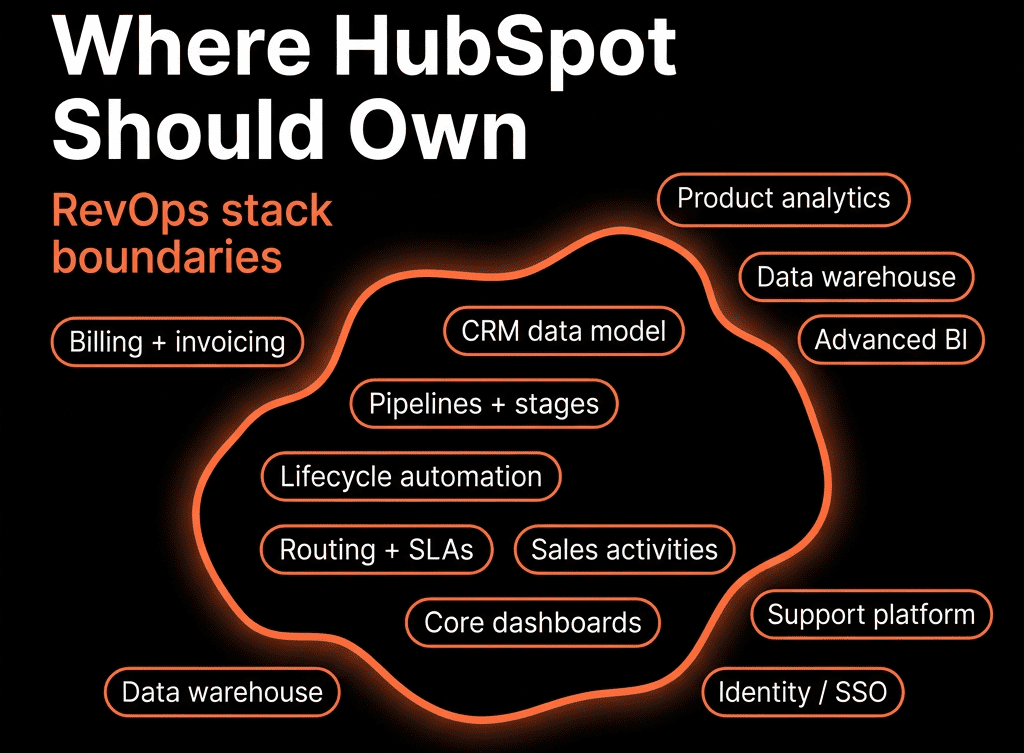
Step 7 – Guardrails: What HubSpot Should Not Try to Be
To keep the stack sane, we explicitly say “no” to:
Heavyweight data warehouse
- HubSpot custom reports are powerful, but not built for petabytes of event data.
- Use it for GTM operations, not full-blown analytics engineering.
Primary accounting system
- Quotes and invoices are fine; financial books live in ERP/accounting.
- Sync summary financial fields back to HubSpot for GTM context.
Deep product analytics
- Use it for key usage flags and milestones, not for session replay or cohort modelling.
Random point-solution replacement
- Don’t abuse custom objects/workflows to rebuild entire third-party products when an integration would do.
Clear boundaries reduce complexity and long-term cost.
Step 8 – Integration Principles That Keep RevOps in Control
We use a few simple rules when integrating with HubSpot:
One-way first, then two-way if needed
- Default to pushing curated data into HubSpot.
- Only allow HubSpot to write back when there’s a clear process and owner.
Only sync what GTM teams can actually use
- Aggregate signals instead of dumping raw logs.
- E.g., “Usage level: Low/Medium/High” instead of every click.
Tag every integration field with its origin
- Property naming convention: billing_, product_, cs_, etc.
- Document meaning and update rules.
Use HubSpot for orchestration
- Workflows react to integrated fields:
- Health score changes.
- Payment failures.
- Usage spikes/drops.
This is where HubSpot’s power compounds.
Step 9 – Make HubSpot the Primary Operational UI for GTM
Even if data lives elsewhere, we want GTM teams to live in HubSpot:
Reps: contacts, companies, deals, tasks, sequences, Playbooks.
Marketers: campaigns, emails, landing pages, lists, attribution.
CS: tickets, health bands, renewal deals, success tasks.
RevOps: workflows, data hygiene, lifecycle, routing, dashboards.
Other tools:
- Run in the background.
- Are used by specialists (data, finance, product).
- Feed HubSpot with only what GTM needs to act.
This keeps adoption high and context centralised.
Step 10 – Evolve the Stack Deliberately, Not Reactively
As you grow:
Periodically review:
- Where HubSpot is stretched too thin.
- Where you’re duplicating functionality across tools.
- Where data is drifting (two tools both editing the same thing).
When adding a new tool, always answer:
- What will HubSpot still own?
- What will the new tool own?
- What exact data will flow between them?
- Which team is accountable for keeping the integration healthy?
Document this in a RevOps architecture blueprint, not just in people’s heads.
Want a Tech Stack Blueprint That Puts HubSpot in the Right Place?
If your HubSpot is fighting with two CRMs, a sales engagement platform, three CS tools, and a BI stack, we can help you simplify.
Through our HubSpot Implementation Blueprints, Portal Health Check, and Migration & ROI Plan, we:
- Map your current RevOps stack and data flows.
- Define what HubSpot should own vs integrate with.
- Design a clean HubSpot-centric architecture and property model.
- Plan migrations and consolidations to reduce noise and tool sprawl.
- So HubSpot becomes the operating system for revenue—surrounded by specialist tools, not competing with them.