



If Reps Can’t Find or Use Content, It’s Not Enablement
Most companies say they “do sales enablement” in HubSpot:
- There are decks and PDFs stored somewhere.
- A few email templates.
- Maybe some sequences.
But when you ask reps:
- “Can you quickly find the right case study or deck for a given segment?”
- “Do you know which sequence to use for late‑stage deals?”
You often get:
- “I use my own stuff.”
- “I just search my inbox or Drive.”
Real enablement in HubSpot means:
- Content is organized and delivered in the context of deals.
- Playbooks guide reps at each stage.
- Automation supports consistent follow‑up—not replaces selling.
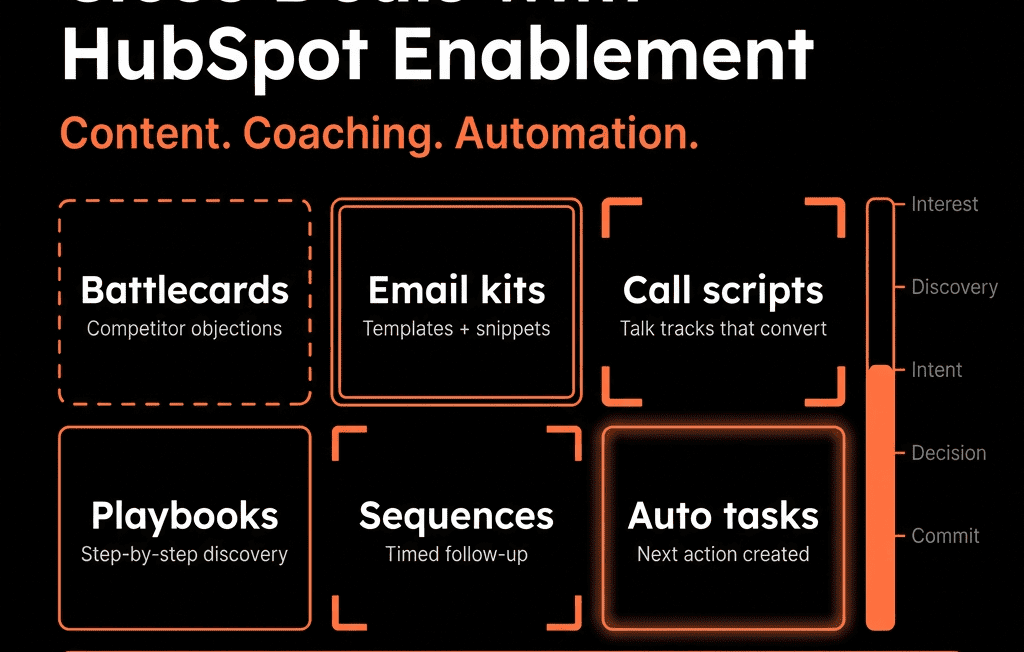
In this article, we’ll walk through how to use HubSpot’s content tools, playbooks, and automation to enable Sales in ways that actually close deals.
Step 1 – Decide What “Sales Enablement” Should Achieve in HubSpot
Before diving into features, define your goals.
Common outcomes:
- Faster ramp for new reps.
- More consistent discovery and qualification.
- Better usage of collateral and case studies.
- Higher follow‑up consistency after key events (demos, trials, proposals).
- Shorter cycles and higher win rates for target segments.
Translate each into HubSpot behaviors:
- What should a rep be able to do in one or two clicks inside a Contact or Deal?
- What tasks or actions should HubSpot trigger on their behalf?
Step 2 – Organize Sales Content Inside HubSpot for Real Usage
HubSpot supports several asset types:
- Documents: PDFs, decks, one‑pagers tracked when sent.
- Email templates: reusable 1:1 emails for different stages and personas.
- Snippets: short text blocks for intros, objections, PS lines.
- Knowledge base / CMS content (if you use them): case studies, product pages, FAQs.
To make content truly usable:
Standardize naming conventions
E.g., [STAGE] – [Persona] – [Use case] – [Asset type]
- MID – VP Sales – ROI Overview – Deck
- LATE – CFO – Pricing Rationale – One‑pager
Use folders by motion
In Documents and templates:
- New business – SMB
- New business – Mid‑market/Enterprise
- Expansion and renewal
Prune and curate
- Remove outdated or low‑usage assets.
- Maintain a small “approved” set and archive the rest.
Goal: reps see a short, obvious list of the best content for a given situation.
Step 3 – Build Playbooks for Guided Selling Inside Deals
HubSpot Playbooks can turn your best practices into guided flows.
Use Playbooks to:
Structure discovery calls
- Questions tailored by segment or product.
- Fields that log answers directly into Deal/Contact properties.
Standardize qualification (e.g., MEDDIC/BANT)
- Inline prompts for: Metrics, Economic buyer, Decision process/criteria, etc.
- Choices/options that become structured data.
Handle common objections
- Playbooks with talk tracks and related assets linked.
Implementation tips:
- Attach relevant Playbooks to specific pipelines or stages.
- Train reps to open the right Playbook during calls from the Deal record.
- Review Playbook usage and captured data in reporting to improve both over time.
Benefit: reps get in‑context guidance and RevOps gets structured data, not free‑text notes.
Step 4 – Use HubSpot Sequences and Tasks for Follow‑Up Consistency
Automation should support reps, not spam prospects.
Smart ways to use Sequences:
Post‑demo follow‑up sequences
- Day 0: personalized recap email.
- Day 2–7: value‑add touches (case study, FAQ, ROI content).
- Tasks interleaved for calls and LinkedIn touches.
Inbound qualification sequences
- For MQLs waiting on SDR outreach, with tasks to ensure human touches.
No‑show and re‑engagement sequences
- Automated but personalized flows after no‑shows or dormant opps.
Guardrails:
- Clear ownership: which team uses which sequences (SDR vs AE vs CS).
- Enrollment rules: only target roles/segments; exclude current customers where inappropriate.
Tasks (outside sequences)
Workflows that create tasks based on triggers:
- New high‑intent lead.
- Deal moves to a late stage without recent activity.
- Renewal approaching.
Result: HubSpot becomes your follow‑up engine, with humans still at the center.
Step 5 – Tie Enablement to Pipeline Stages, Not Just Asset Libraries
Sales enablement is most powerful when context‑driven.
Per deal stage, define:
- What information we must have: use a Playbook to ensure fields like use case, decision process, competitors are filled.
- What content we typically send: list 2–3 Documents or links per stage.
- What follow‑up pattern we expect: calls/meetings + emails supported by Sequences or tasks.
Implementation:
- Customize Deal record sidebars: show stage‑specific Playbooks, templates, and key fields.
- Train reps: “When you move to [Stage X], use [Playbook Y] and consider [Assets A, B].”
This reduces the cognitive load on reps and raises the floor on execution.
Step 6 – Instrument and Optimize Enablement Usage
RevOps should treat enablement assets like experiments, not static artifacts.
Track in HubSpot:
Documents
- Which assets are opened, viewed, and associated with Closed Won deals?
Templates and sequences
- Reply and meeting rates.
- Differences by segment and stage.
Playbooks
- Usage rates by rep and stage.
- Whether usage correlates with better qualification and win rates.
Use this data to:
- Promote top‑performing assets as “gold standard.”
- Retire or rework underperforming content.
- Adjust training to focus on the enablement that actually moves deals forward.
Step 7 – Govern Sales Enablement So It Stays Coherent
Without governance, content and templates will spiral out of control.
Practices:
Central content owner
- Typically Sales Enablement or RevOps.
- Approves new document/template additions to the “canonical” set.
Template and content hygiene
- Naming standards enforced.
- Old versions archived.
Personal vs shared assets
- Let reps have personal templates/snippets—but clearly distinguish them from team‑approved ones.
Regular reviews
- Quarterly: review top and bottom performing assets and sequences; purge outdated ones.
This ensures HubSpot remains a trusted source of enablement, not a dumping ground.
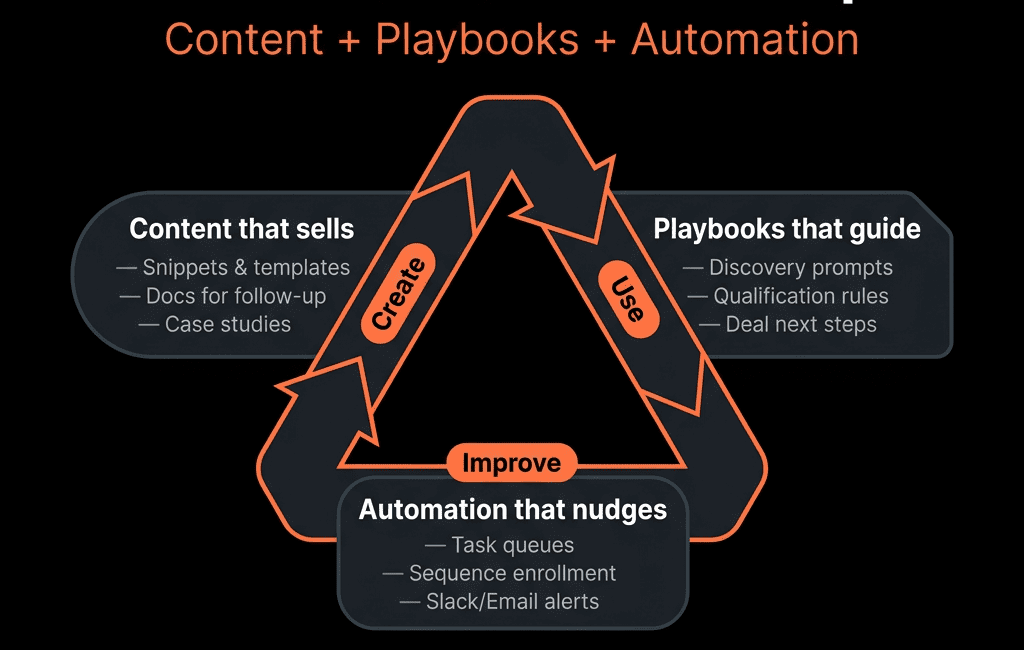
Pulling It Together: HubSpot as a Sales Co‑Pilot, Not a File Server
Sales enablement in HubSpot that actually closes deals looks like:
- Well‑organized, stage‑specific content.
- Playbooks that guide reps through discovery, qualification, and objection handling.
- Sequences and tasks that enforce consistent, timely follow‑up.
- Analytics on which assets and plays correlate with revenue.
- Governance so the system stays sharp as you grow.
Do that, and HubSpot becomes a co‑pilot for your sales team—not just where they log activities.
Want Help Turning HubSpot into a Real Sales Enablement Platform?
If your HubSpot instance has content and workflows but no real enablement strategy behind them, this is exactly where we can help.
Our HubSpot Portal Health Check and Migration & ROI Plan are designed to:
- Audit your current sales content, templates, and automation.
- Design a stage‑driven, RevOps‑aligned enablement system in HubSpot.
- Provide a 60–90 day rollout plan so reps actually adopt and benefit from it.






