Playbooks Turn “Good Reps’ Habits” Into a System
Most teams have a few reps who:
- Ask the right questions.
- Capture the right details.
- Move deals forward predictably.
Everyone else improvises.
Managers hear “good calls” but see weak notes and messy data in HubSpot.
HubSpot Playbooks bridge that gap.
They guide reps live on calls and write structured data into properties at the same time.
Here’s how we use them to standardize sales conversations.
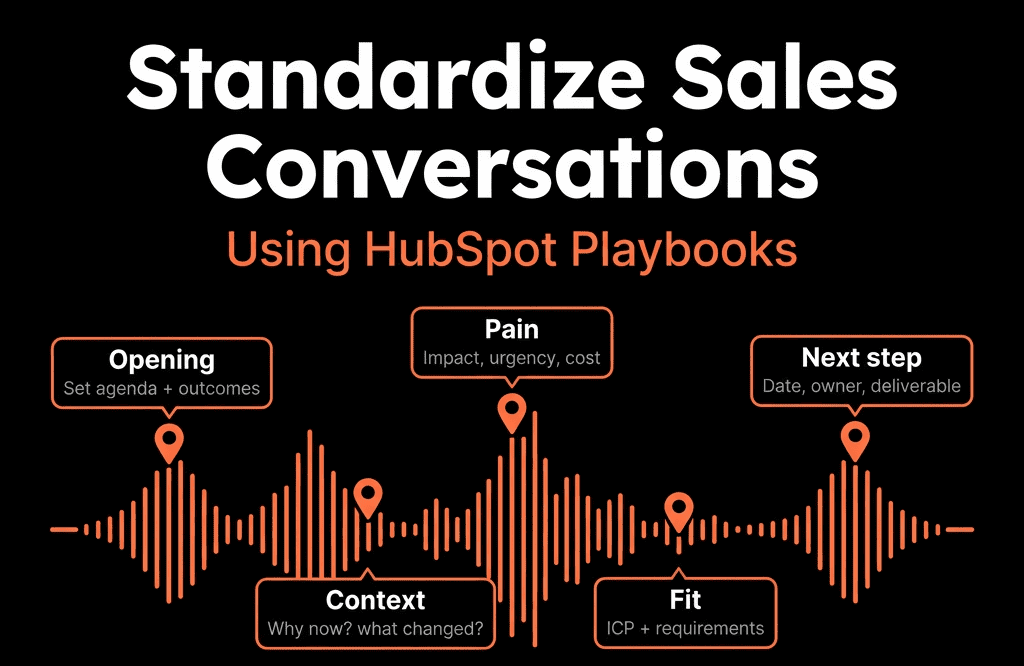
Step 1 – Decide Which Conversations Deserve a Playbook
Not every call needs a Playbook.
We usually start with 3–5 high-impact conversations:
- First discovery call (SDR or AE).
- Technical / deep-dive discovery (AE/SE).
- Demo / solution presentation.
- Commercial / proposal review.
- Renewal / QBR for existing customers.
For each, define:
- Objective: “By the end of this call, we must know X, Y, Z.”
- Key questions: The 10–20 prompts top reps already use.
- Key fields: Which HubSpot properties should be updated from this call?
The Playbook is there to structure the call, not script it.
Step 2 – Map Playbook Questions to HubSpot Properties
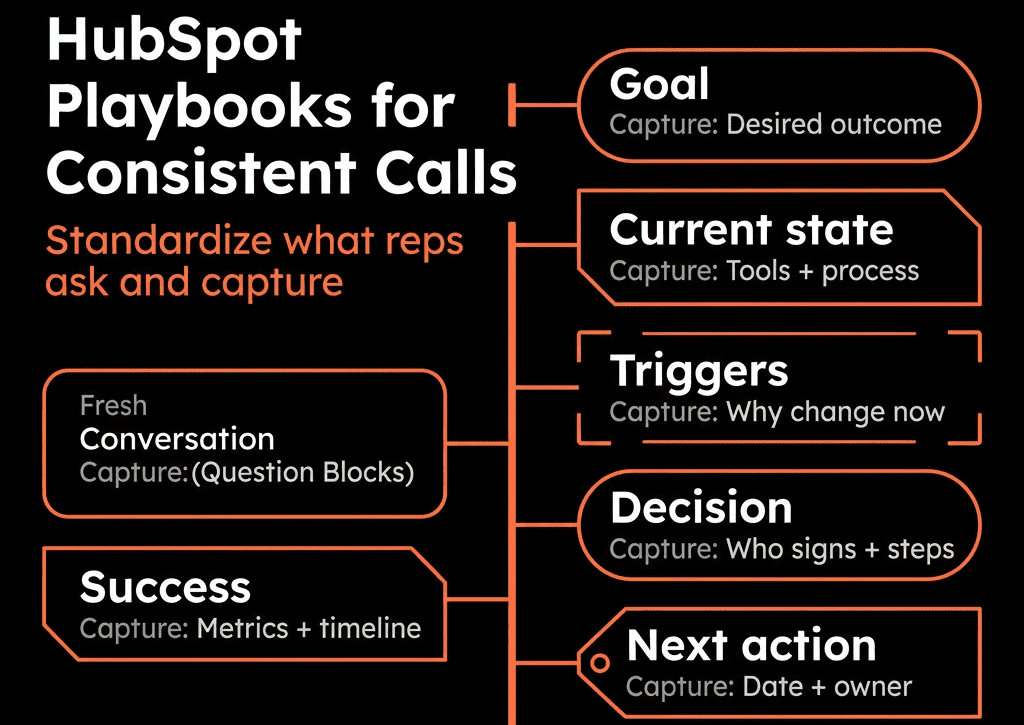
The power of Playbooks is writing notes into structured fields.
For each conversation:
List the properties you want clean, consistent answers for, e.g.:
- Primary pain / use case.
- Impact of problem.
- Decision maker identified (Yes/No).
- Number of stakeholders.
- Budget approved (Yes/No/In discussion).
- Decision timeline.
- Next step and Next step date.
In the Playbook editor:
- Add questions.
- For each, link the answer to a contact, company, or deal property.
- Use dropdowns, radios, and checkboxes wherever you can to enforce consistency.
Now, when reps take notes in the Playbook, HubSpot updates the right fields automatically.
Step 3 – Build a Discovery Playbook Reps Will Actually Use
Your first Playbook should almost always be Discovery.
Structure it in 4 sections:
Context & agenda
- A brief script for how to open the call and set expectations.
- E.g., “Where did you first hear about us?” linked to a Source detail field if needed.
Problem and impact
- Questions around the current situation, pain, and business impact.
- Map to Primary challenge, Impact description, Priority level.
Buying process & stakeholders
- Questions about decision-makers, influencers, and process.
- Map to Decision maker identified, Number of stakeholders, Decision process notes.
Next steps
- Slot for Next step and Next step date.
- Optional checklist: schedule demo, send recap email, share case study.
Keep it:
- Concise enough to use live.
- Flexible enough for reps to move around depending on the conversation.
Step 4 – Attach Playbooks to the Right Objects and Stages
Make Playbooks easy to find and use:
- Associate them with Deals, Contacts, and Companies as needed.
- Pin the most used Playbooks in the record sidebar.
Name them clearly, e.g.:
- “1 – Discovery Call”
- “2 – Technical Deep Dive”
- “3 – Proposal Review”
- “4 – Renewal/QBR”
Optionally:
- Use stage-based guidance in your sales process doc: “In Stage X, use Playbooks A and B.”
- Mention them in training and deal review calls, so managers ask:
- “Did you complete the Discovery Playbook on this opp?”
Step 5 – Create a Playbook for Proposal / Decision Calls
Second priority: the late-stage call where deals often stall.
This Playbook can cover:
Recap of agreed problem and value
- Confirm the pain and success criteria captured earlier.
Proposal specifics
- Which package, term, and pricing structure.
- Linked to Proposed ACV/MRR or similar properties.
Decision readiness
- Questions like:
- “What would stop this from going ahead?”
- “Who else needs to sign off?”
- Linked to Decision risk level, Remaining blockers.
Implementation expectations
- Start date, key milestones, internal resources.
Final next step
- Firm next meeting or signature date.
- Update Close date and Next step date.
This standardises how AEs run late-stage deals and improves forecast accuracy.
Step 6 – Use Playbooks in Renewals and QBRs
For churn reduction and expansion, standardize CS conversations too.
A Renewal/QBR Playbook might include:
- Objectives: retention, expansion, or both.
- Value recap: goals at onboarding vs achieved so far.
- Usage review: adoption of key features/services.
- Risk indicators: support issues, missing stakeholders, organisational changes.
- Expansion potential: additional teams/products that fit.
- Next steps: renewal path, potential upsell opportunities.
Map these to:
- Company properties: Health band, Expansion potential, Renewal risk.
- Renewal Deal properties: Renewal likelihood, Churn risk reason.
Now CS conversations feed directly into your churn and expansion reporting.
Step 7 – Train Managers to Coach from Playbook Data
Playbooks only work if managers use the data.
We encourage managers to:
- Open the Playbook entries in deal reviews.
- Ask:
- “What did you hear when you asked this question?”
- “I see this field is blank—does that mean you didn’t ask, or they didn’t know?”
- Compare answers across reps:
- Who consistently uncovers decision criteria and urgency?
- Who skips stakeholder mapping?
Because the data is structured, you can:
- Report on % of deals with completed Discovery Playbook fields.
- Compare win rates for deals with vs without complete Playbook data.
This turns Playbooks into a coaching tool, not just a note template.
Step 8 – Measure the Impact of Playbooks on Outcomes
Over time, connect Playbooks to performance.
Useful analyses:
- Win rate for deals where Discovery Playbook fields are fully populated vs not.
- Average deal size when proposal-specific fields are captured clearly.
- Renewal rate where QBR/renewal Playbook was used vs skipped.
If you see strong correlations:
- Double down on Playbook usage.
- Refine questions that don’t add value.
- Roll out similar structures to new segments or products.
Step 9 – Governance: Keep Playbooks Lean and Up to Date
Common pitfalls:
- Playbooks become long checklists nobody wants to open.
- Out-of-date questions confuse reps and hurt adoption.
To avoid this:
- Aim for 10–20 core questions per Playbook, not 50+.
- Review Playbooks quarterly:
- Remove low-value fields.
- Add or refine questions based on real calls and objections.
- Involve top reps in edits so the content stays grounded in reality.
- Treat Playbooks as living assets in your sales process.
Turning Playbooks Into a RevOps Asset
When implemented well, HubSpot Playbooks:
- Make new reps productive faster.
- Capture consistent, structured data on every key conversation.
- Improve forecast accuracy and win rates by standardising discovery and decision calls.
- Give managers a concrete basis for coaching.
They’re one of the simplest ways to move from “random acts of selling” to a repeatable, inspectable sales process.
Want Help Designing Playbooks That Reps Actually Use?
If your team’s call notes are all over the place and Playbooks are half-configured, we can help.
Through our HubSpot Portal Health Check and Managed RevOps Retainer / Migration & ROI Plan, we:
- Map your current sales process into 3–5 core conversations.
- Design Playbooks that capture the right data without slowing reps down.
- Link Playbook answers to properties, stages, and reporting.
- Train managers to coach from Playbook usage and outcomes.
- So HubSpot becomes the place where great sales conversations start—and where their impact is measured.