



“Fully on HubSpot” Doesn’t Mean the Old Systems Disappear on Their Own
Most teams finish a HubSpot migration and then stall at the last step:
- The old CRM is still live “just in case.”
- Legacy tools stay connected “until we’re sure.”
- Spreadsheets and side‑systems keep getting updated by habit.
The longer this goes on:
- The more your “source of truth” gets diluted.
- The harder it is to manage access and compliance.
- The more you keep paying for tools you barely use.
Sunsetting old systems is where you finally realize the full value of your migration.
But if you rush it, you risk:
- Losing critical historical data.
- Breaking downstream reports and processes.
- Frustrating teams who still rely on certain functions.
In this article, we’ll walk through how to safely decommission old systems once you’ve moved fully into HubSpot—without surprises.
Step 1 – Define What “Fully into HubSpot” Actually Means
Before you shut anything off, be explicit about what “fully into HubSpot” looks like for you.
Typically, it means:
- New leads are only captured in HubSpot.
- Sales teams manage all active pipeline in HubSpot.
- CS/Support (if using Service Hub) manage active tickets there.
- Key marketing automation and campaigns run in HubSpot.
- Executive reporting is built on HubSpot data (plus finance where needed).
Document your criteria:
For example:
- “No active deals are updated in Salesforce/Pipedrive/Zoho.”
- “All new form fills and chat leads are created in HubSpot.”
- “Weekly leadership deck pulls pipeline and funnel numbers from HubSpot.”
Once these conditions are met (or close), you’re ready to plan sunsetting.
Step 2 – Inventory All Old Systems and Their Dependencies
List every system you used before HubSpot for GTM and customer data, such as:
- Old CRM(s) (Salesforce, Zoho, Pipedrive, etc.).
- Standalone marketing tools (email platforms, automation tools, landing page builders).
- Ticketing/support tools (Zendesk, Freshdesk, etc.).
- Spreadsheets and custom databases that acted as CRMs.
For each, note:
- What it was used for.
- Who still logs in (if anyone).
- What data it holds that isn’t yet (or won’t be) in HubSpot.
- Any integrations:
- Does it feed data into BI, finance, product, or other tools?
This inventory is your risk map for decommissioning.
Step 3 – Decide What to Decommission, Archive, or Keep
Not every system needs the same treatment.
Categorize each as:
Decommission (fully turn off and remove access)
Old CRMs or tools where HubSpot now fully replaces their functions.
Archive (data preserved, system access removed or minimized)
Systems with historical data you rarely use, but may need for:
- Audits.
- Regulatory requirements.
- Long‑term analysis.
Keep (still used, but with a defined integration role)
Non‑overlapping systems like:
- Finance/ERP.
- Core product/usage databases.
- Specialized delivery tools.
For each “Decommission” system, plan how data will be:
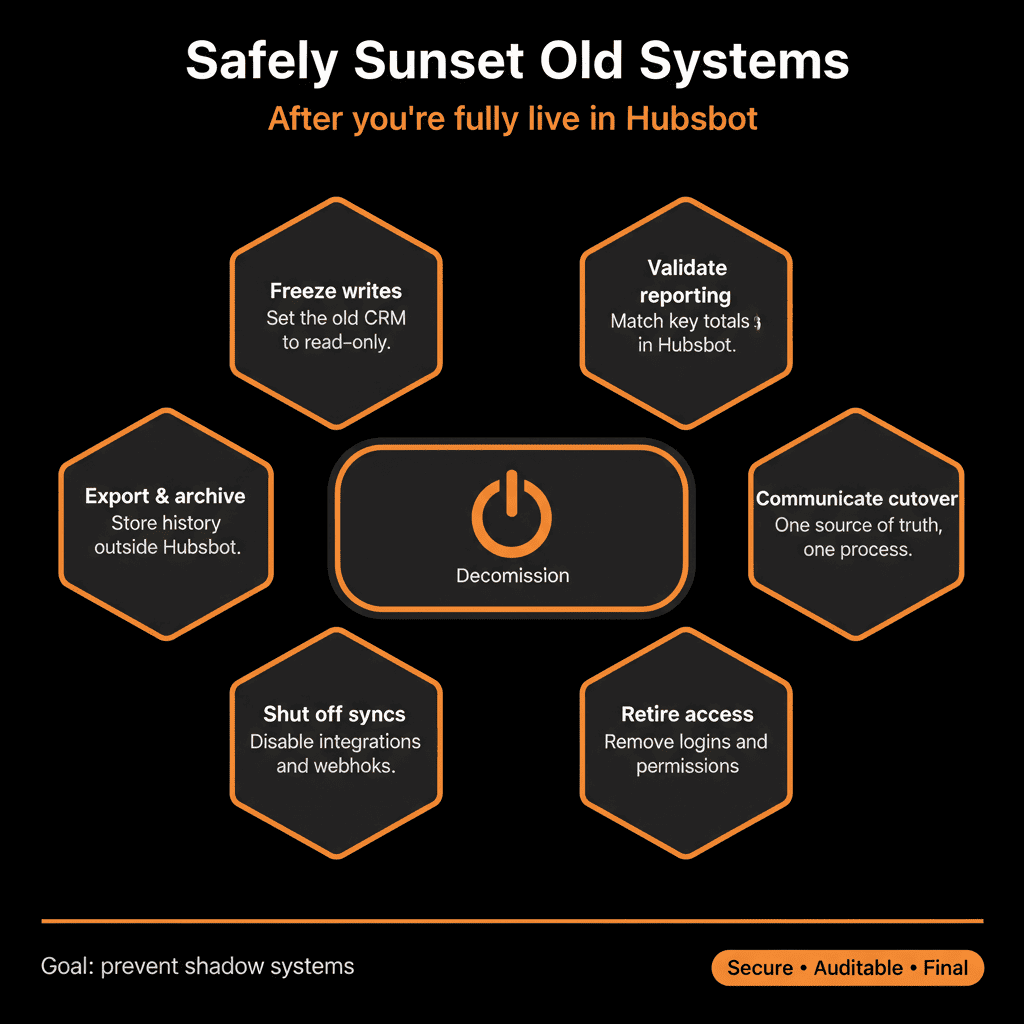
- Retained (e.g., exports to secure storage).
- Referenced going forward (through HubSpot data, BI, or archives).
Step 4 – Extract and Store Historical Data Safely
Before turning a system off, decide what historical data you truly need to keep.
Questions to ask:
- Do we need detailed historical records beyond what’s in HubSpot?
- Are there regulatory or contractual obligations for data retention?
- Do Finance, Legal, or Ops rely on legacy reports only possible in the old system?
If yes, plan to:
- Export key data sets (contacts, accounts, deals, tickets, activities) in a structured format.
- Store exports in:
- A secure internal repository (e.g., cloud storage with proper access controls).
- A data warehouse or BI system if you already use one.
Document:
- Where this archive lives.
- Who has access.
- How someone would retrieve needed information later.
This step turns “just in case” access into a deliberate archive strategy.
Step 5 – Turn Off Data Creation First, Not Access
To avoid new data leaking into old systems, reverse the usual instinct.
Instead of:
Leaving everything fully live until you’re ready to unplug.
Do this sequence:
Stop new data creation
Disable or redirect:
- Forms and APIs that create records in the old CRM.
- Integrations that write to it.
Make clear:
No new leads, deals, or tickets should be created in the old system.
Keep read‑only access for a limited period
Let users view historical records while they get used to HubSpot.
Encourage them to treat the old system as a reference, not a working tool.
Track actual access
Monitor logins and usage.
Use that to validate whether anyone truly needs ongoing access.
Once data creation has stopped and HubSpot is handling all new work, you’re much safer to proceed.
Step 6 – Communicate a Clear Sunsetting Timeline and Plan
Sunsetting old systems is a change‑management exercise as much as a technical one.
Communicate to all affected teams:
Why you’re doing this
- One system of record.
- Lower tool and maintenance cost.
- Better data quality and reporting.
What will happen and when
Key dates for:
- Stopping new data creation.
- Moving to read‑only.
- Full decommission.
What they should do instead
Where to create and update leads, deals, tickets.
Where to view historical info (HubSpot vs archive vs temporary read‑only old system).
Make sure:
- Sales, Marketing, CS, and leadership are all aligned on this timeline.
- There’s a point person (usually RevOps/Ops) for questions and exceptions.
Step 7 – Review and Cut Over Any Remaining Integrations and Reports
Old systems often sit in the middle of data flows and reports.
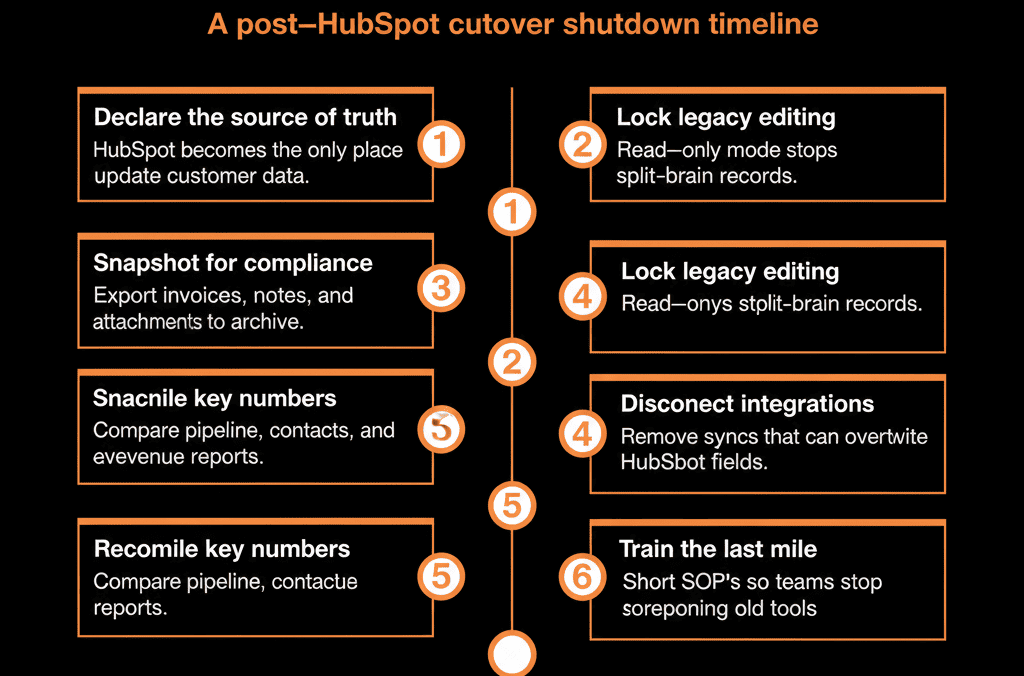
Before decommissioning, verify that:
- Integrations that used the old CRM have been:
- Rebuilt to use HubSpot.
- Retired if no longer needed.
- BI and reporting tools are:
- Pulling data from HubSpot (and other appropriate systems), not old CRMs.
- Financial and operational reconciliations (e.g., revenue vs pipeline) now reference HubSpot rather than the legacy system.
Do a dry run:
- Produce a standard leadership report without referencing the old CRM.
- Confirm numbers tie out with Finance and other functions.
If something still depends on the legacy system, fix that dependency before the final switch‑off.
Step 8 – Decommission Access in a Controlled, Audited Way
When it’s time to actually sunset:
Remove or restrict user access
- Deactivate general user accounts.
- Retain a small number of admin or archive accounts if necessary for audit history.
Update SSO and bookmarks
- Remove old apps from SSO portals and internal navigation pages.
- Update internal documentation and playbooks to remove references.
Confirm backups and archives
- Double‑check that required data exports are stored and accessible as planned.
Document the decommission
Note:
- Date of deactivation.
- Systems and data exported.
- Where archives live.
This helps for future audits, acquisitions, or system changes.
Step 9 – Monitor HubSpot Usage and Data Health After Sunsetting
After the old system is off, watch HubSpot more closely.
Monitor:
User adoption
- Are all GTM users active in HubSpot?
- Any signs of “shadow systems” (new spreadsheets, side tools)?
Data integrity
- Are required fields being filled properly?
- Are owner, lifecycle, and pipeline rules followed consistently?
Process performance
- Lead routing and response times.
- Pipeline progression and forecast accuracy.
- Ticket SLAs and CS metrics (if relevant).
If issues surface, address them in HubSpot—not by turning the old system back on.
Pulling It Together: Finish the Migration by Decommissioning with Intention
Moving to HubSpot isn’t truly complete until:
- Old CRMs and overlapping tools are no longer in active use.
- Data you care about is in HubSpot or a proper archive.
- Teams know HubSpot is the single place to work and report from.
To sunset old systems safely:
- Define what “fully into HubSpot” means for you.
- Inventory legacy systems and dependencies.
- Decide which to decommission, archive, or keep.
- Extract and safely store necessary historical data.
- Stop new data creation in old systems before removing access.
- Communicate the plan clearly and repeatedly.
- Ensure integrations and reports now point to HubSpot.
- Decommission access in a controlled way.
- Monitor HubSpot adoption and data health post‑cutover.
Do this, and you’ll not only cut costs and complexity—you’ll finally have a CRM stack that feels unified and trustworthy.
Want Help Planning and Executing the Sunsetting of Your Old Systems?
If you’re live on HubSpot but still paying for and half‑using old CRMs or tools, this is exactly where we can help.
Our HubSpot Portal Health Check and Migration & ROI Plan are designed to:
- Confirm HubSpot is ready to be your sole system of record.
- Map dependencies on old systems and design a decommissioning plan.
- Help you archive safely, cut over integrations, and finalize the transition.






