HubSpot Health Check: How to Fix a “Scaling but Breaking” CRM in 30 Days

Author Bio
Muhammad Asghar Hussain | Founder & CEO, ElanceMind (HubSpot Gold Partner)
Muhammad is a RevOps Architect and the founder of ElanceMind. He has overseen 300+ HubSpot implementations for B2B SaaS and Manufacturing companies, specializing in turning “messy” portals into self-driven revenue engines.
Who This HubSpot Health Check Is For
We designed this 30-day HubSpot health check for B2B companies that have outgrown spreadsheets and basic tools, but feel HubSpot has become an expensive address book instead of a growth engine. You’re likely:
- 11–250 employees, scaling fast, with a growing sales team.
- Sitting on years of messy data, duplicate records, and unreliable reports.
- Dealing with complaints like “we don’t trust the numbers” and “HubSpot is too complicated.”
If this sounds familiar, you’re not alone. Many teams use less than 20% of HubSpot’s power and need a structured, diagnostic review before investing more time, tools, or people. Our Free HubSpot Portal Health Check applies exactly this kind of focused audit to your portal and turns the findings into a 6-slide strategic roadmap you can act on immediately.
The Core Problem: “Scaling but Breaking” HubSpot Portals
When HubSpot starts creaking under the weight of growth, symptoms usually appear in four areas:
- Data quality
- Duplicates everywhere.
- Inconsistent fields.
- Conflicting values for simple things like country or lifecycle stage.
The result: nobody trusts reports, so critical decisions move back to spreadsheets and guesses.
- Pipeline and process design
- Too many pipelines or deal stages that don’t reflect reality.
- No clear entrance/exit criteria for each stage.
- Deals that live forever in “Open” or “Proposal Sent.”
The result: your forecast is a fantasy, and teams argue instead of aligning.
- Adoption and usage
- Reps skipping HubSpot because “it takes too long.”
- Key activities not logged, or logged inconsistently.
- Managers spending more time chasing updates than coaching.
The result: HubSpot becomes an admin chore instead of a selling advantage.
- Automation and reporting
- Workflows that no one understands or owns.
- Dashboards that don’t match what’s in the board deck.
- Leaders bouncing between HubSpot, spreadsheets, and slide decks to find “the truth.”
The result: the system feels slow, fragile, and disconnected from real operations.
Fixing this requires a time-bound, focused health check—not another random batch of tweaks. That’s exactly what this 30-day plan delivers.
The 30-Day HubSpot Health Check: Overview
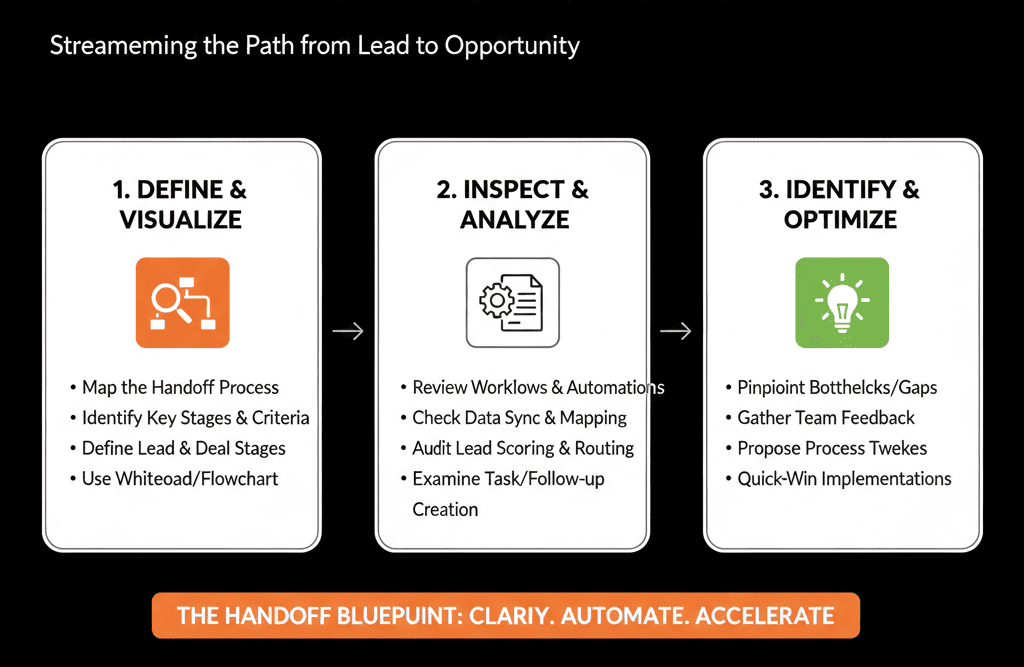
We break your HubSpot health check into four weekly outcomes:
- Week 1 – See clearly: Baseline your data, pipelines, and key metrics.
- Week 2 – Stabilize the foundations: Fix the worst data issues and lock in core architecture.
- Week 3 – Align teams and workflows: Clean up handoffs, routing, and core automation.
- Week 4 – Build the revenue cockpit: Implement a reliable, leadership-ready reporting layer.
You finish with:
- A cleaner, governed data model.
- A simplified, realistic pipeline structure.
- Clear lifecycle & handoff rules everyone understands.
- A small set of accurate dashboards leaders can rely on.
Week 1: See Clearly (Diagnosis, Not Decoration)
The only goal of Week 1 is truth. No big changes yet—just visibility.
1. Data and object baseline
Export basic summaries and answer:
- How many Contacts, Companies, Deals, and Tickets exist?
- How many records have missing critical fields (email, owner, lifecycle stage, close date, amount, etc.)?
- How many duplicate contacts and companies are obvious at a glance?
Use this to define your “data debt” and highlight the worst holes.
2. Pipeline and stage baseline
For each pipeline:
- List all stages and their intended meaning.
- Count how many deals live in each stage.
- Identify stale deals (e.g., no activity in 30/60/90+ days).
This quickly shows where your funnel is clogged and which stages are meaningless.
3. Adoption and usage baseline
Look at:
- Percentage of deals with no associated company or contact.
- Percentage of deals with no activities logged in the last 30 days.
- Users who have not logged in or logged minimal activity.
This tells you where HubSpot is being bypassed and where training or simplification is required.
4. Reporting baseline
Document your current reality:
- Which dashboards do leaders actually use?
- Do “revenue” and “pipeline” numbers in HubSpot match what finance or leadership reports elsewhere?
- What numbers do leaders not trust, and why?
Deliverable for Week 1:
A short internal summary (or slide deck) answering:
“What is the true current state of our HubSpot data, pipelines, adoption, and reporting?”